
Free Apology Generator
Generate sincere apology messages tailored to personal, professional, or customer situations. Add what happened, who it is for, the impact, tone, and repair step to create a clear, respectful message that acknowledges mistakes and helps rebuild trust.
Apology Message
Your apology message will appear here...
How the AI Apology Generator Works
Get results in seconds with a simple workflow.
Describe the Situation
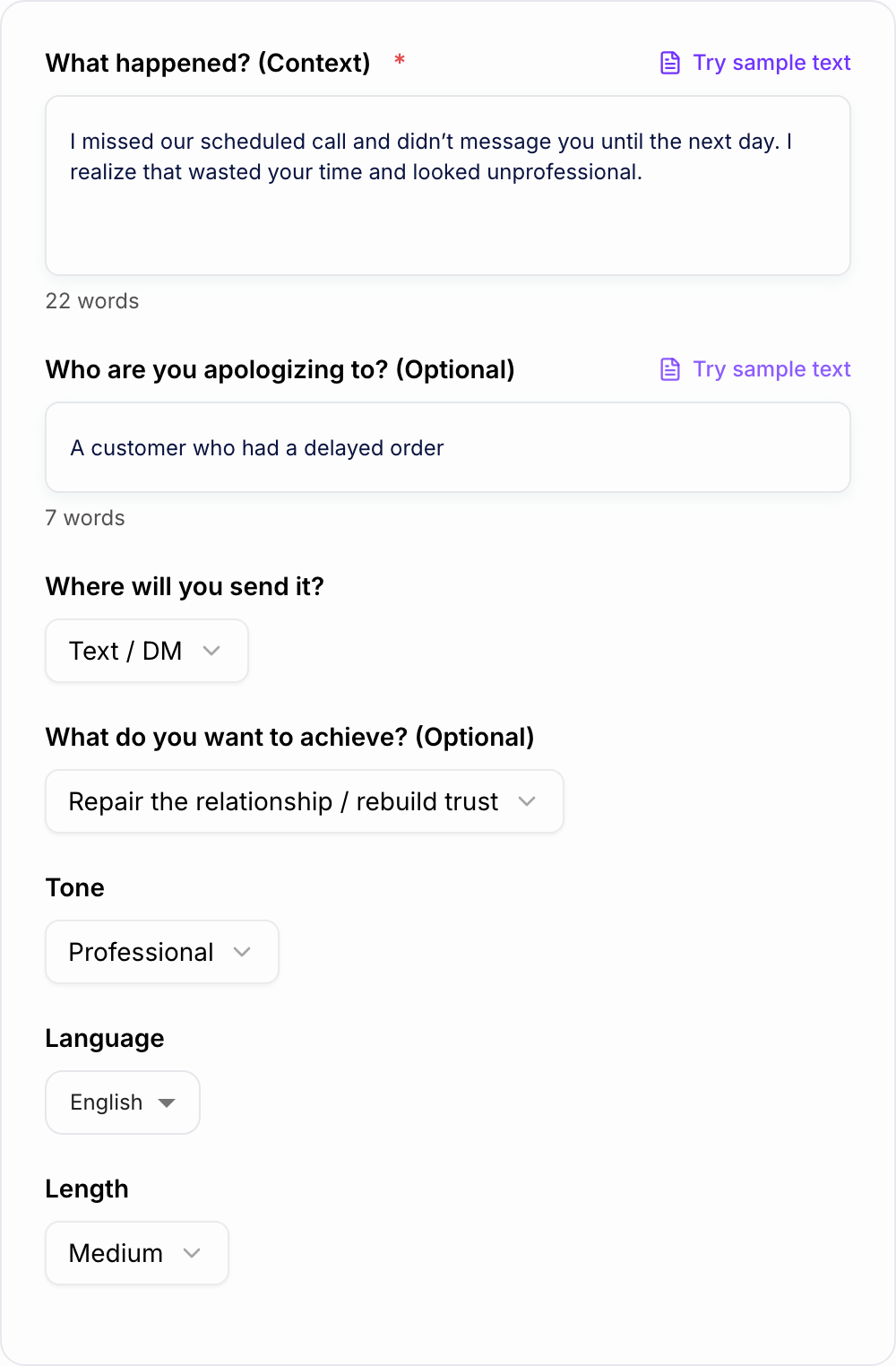
Explain what happened in 1–3 sentences. Include the key mistake and the impact if you know it (missed deadline, hurt feelings, inconvenience, etc.).
Choose Channel, Goal, and Tone
Select where you’ll send the apology (text, email, work chat, letter, or in-person) and your goal—repair trust, resolve a complaint, or ask for a follow-up.
Generate and Personalize
Get an apology message you can copy, then adjust details (names, timelines, resolution steps) to match your situation and keep it authentic.
See It in Action
Turn an awkward, defensive message into a sincere, clear apology with accountability and a next step.
Sorry if you got upset. I was busy and didn’t have time to respond, and it wasn’t that big of a deal.
I’m sorry I didn’t respond when I said I would. I understand that left you waiting and made you feel ignored. I take responsibility for not communicating sooner. If you’re open to it, I’d like to make it right—can we pick a time today or tomorrow to talk?
Why Use Our AI Apology Generator?
Powered by the latest AI to deliver fast, accurate results.
Sincere, Accountability-First Apologies
Generates a genuine apology message that takes responsibility, avoids excuses, and clearly acknowledges impact—ideal for personal apologies and professional communication.
Customer Service Apology Templates (With Next Steps)
Create customer apology emails and support messages that include reassurance, resolution language, and expectation-setting—helpful for delayed orders, billing issues, and service disruptions.
Tone and Channel Adaptation
Tailors wording for text, email, work chat, letters, or in-person scripts—so your apology fits the context and reads naturally.
Emotionally Intelligent Wording
Uses empathetic language that validates feelings without guilt-tripping—supporting conflict resolution, relationship repair, and trust rebuilding.
Clear Structure That Reduces Misunderstandings
Follows a proven apology structure: acknowledgment → responsibility → empathy → repair/next step—so your message is easy to accept and respond to.
Pro Tips for Better Results
Get the most out of the AI Apology Generator with these expert tips.
Lead with ownership, not explanations
Start by acknowledging what you did and the impact. A short explanation is fine later—but avoid justifying or shifting blame.
Be specific about the repair step
When possible, include what you’ll do next (refund, replacement, reschedule, follow-up time). Specificity increases trust and reduces back-and-forth.
Avoid minimizing language
Phrases like “if you felt” or “it wasn’t a big deal” can invalidate the other person. Focus on impact and accountability instead.
Match tone to the relationship and channel
Work emails should be clear and professional; personal apologies can be warmer and more vulnerable. Use channel-appropriate length and formality.
Close with a simple invitation, not pressure
Try: “I understand if you need time” or “If you’re open to it, I’d like to make this right.” Avoid demanding forgiveness.
Who Is This For?
Trusted by millions of students, writers, and professionals worldwide.
Write a Sincere Apology with an AI Apology Generator
Most apologies fail for the same reason. They focus on intent, not impact. Or they try to rush the other person into forgiving you. And then it lands… weird. Defensive. A little cringy.
A solid apology is actually pretty simple, but it needs structure. This AI Apology Generator helps you get that structure fast: what happened, who it affected, what impact to acknowledge, and what repair step you can honestly offer. Then you tweak the generated message so it sounds like you.
The Accountability-First Formula the Generator Uses
If you want a quick checklist, use this order:
- Acknowledge what happened Say the actual thing. Not a vague “sorry about earlier.”
- Take responsibility No blame shifting. No “but” sentence.
- Name the impact What it cost them: time, stress, disappointment, trust.
- Offer a repair step What you will do now to make it right.
- Prevent the repeat A small commitment that shows you learned something.
That’s it. It’s not magic. It’s just clear.
What to Avoid (Because It Instantly Makes Things Worse)
Some phrases make people feel dismissed, even if you did not mean it.
- “Sorry if you felt that way.”
- “I’m sorry, but…”
- “It wasn’t a big deal.”
- “That’s just how I am.”
- “I already said sorry, what else do you want?”
If you catch yourself writing those, it usually means you’re trying to defend yourself. Which is human. But it does not help.
Examples: Better Apologies for Different Situations
Professional apology (to a manager or teammate)
I’m sorry I missed the deadline and didn’t flag it earlier. I understand it created extra pressure for you and the team. I take responsibility for not managing the timeline better. I’m finishing the remaining pieces today and I’ll send an update by 4 PM. Going forward, I’ll share progress checkpoints earlier so this doesn’t happen again.
Customer service apology (delay or service issue)
I’m sorry for the delay with your order. I understand how frustrating it is to expect something and not receive it on time. This is on us. We’re prioritizing your shipment now and you’ll receive an updated tracking link today. If you’d like, I can also process a refund or a credit for the inconvenience.
Personal apology (friend or partner)
I’m sorry I didn’t show up the way I said I would. I get that it made you feel ignored and I can see why that hurt. I take responsibility for not communicating. If you’re open to it, I’d like to talk and actually listen, and then figure out what I can do to rebuild trust.
Pick the Right Apology Mode, Tone, and Length
An apology that is too long can feel like a speech. Too short can feel like you don’t care. The “right” length depends on the relationship and the channel.
- Text / DM: shorter, warmer, no paragraphs of explanation
- Email: clearer structure, one next step, professional close
- Work chat: direct, accountable, action oriented
- In person: slower, less polished, more listening than talking
If you’re not sure, choose Medium length, then cut anything that sounds like an excuse.
When You Should Explain (And How to Do It Without Making Excuses)
A little context can be useful, especially at work or in customer support. But the explanation should be:
- brief
- after ownership
- never used to cancel the impact
A good pattern:
“There’s context, but it’s still on me.”
That single line does a lot of heavy lifting.
Why Use an AI Apology Generator Instead of Copy Pasting a Template?
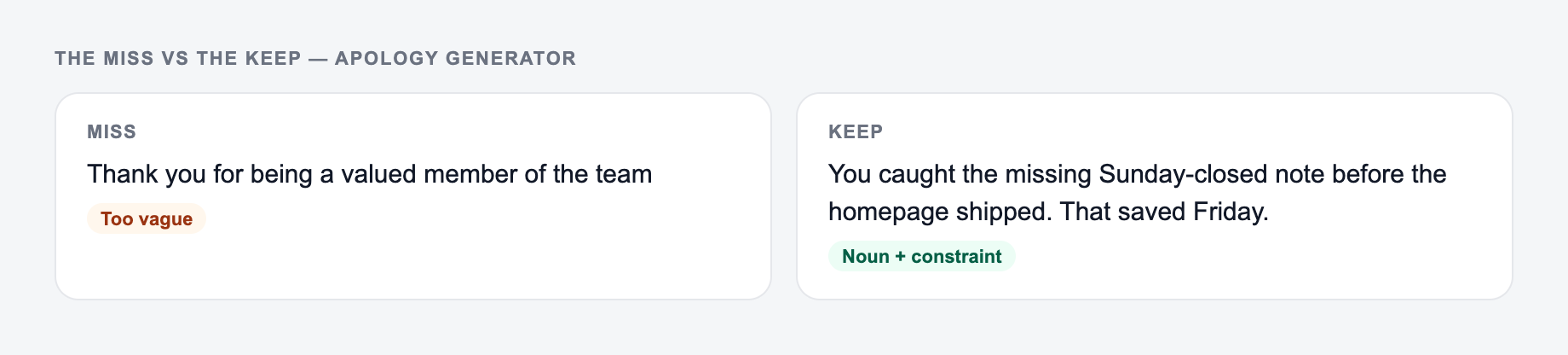
Templates are fine until they sound like… a template. This tool adjusts for:
- who you’re apologizing to (customer, friend, manager, partner)
- channel (text, email, Slack, in person)
- goal (repair, resolve, acknowledge, request another chance)
- tone (calm, professional, empathetic, direct)
So the apology reads like something you would actually say, just cleaner and more thought through.
For harder messages, use the generated apology as the first pass, then rewrite the lines that need your own voice. Junia AI can also help with related communication drafts, such as follow-up emails, customer replies, or longer notes that need a calmer structure.
Review the Generated Apology Before Sending
- Use one specific detail that proves you understand what went wrong.
- Don’t over promise. Pick one realistic repair step you can actually do.
- Avoid “please forgive me” as the main ask. Invite, don’t pressure.
- Read it out loud once. If it sounds like a corporate statement, simplify it.
Final Note: The Best Apology Leaves Space
A lot of people try to “finish” the problem with one perfect message.
Better approach: Apologize clearly. Offer the repair step. Then give them room to respond.
That’s usually when things start to actually heal.
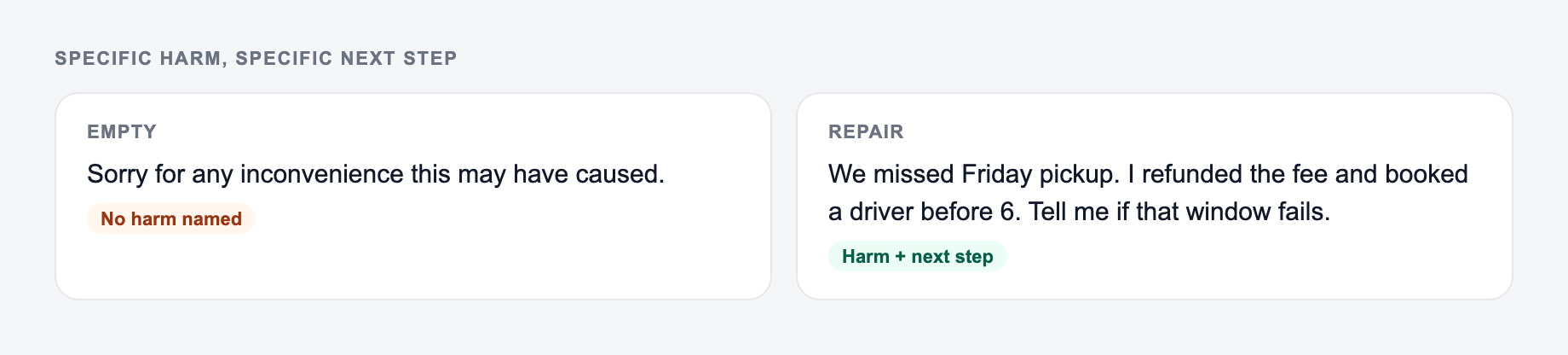
Repair Test: Specific Harm, Specific Next Step
An apology that names the feeling but not the harm still sounds evasive. Before sending, complete this fill-in:
Name the harm and the next step you can actually do before you generate the note.
I [did / failed to do] X, which [affected you by] Y. I am sorry. Next I will Z by [date or condition]. I will not [repeat the specific failure]. You do not have to reply.
Worked workplace example: a missed client recap. Weak: “Sorry if anyone was inconvenienced; we are committed to excellence.” Stronger: “I missed the Friday recap you asked for, so you went into the Monday call without the numbers. I’m sorry. I will send the recap by 3pm today and put a calendar reminder on Thursdays so this does not depend on me remembering.”
Do not ask the injured party to manage your guilt. Do not bundle a second request (“please still leave a review”). For legal, HR, medical, or safety incidents, generated wording is a draft only; follow policy and qualified advice. If you cannot perform the repair step, do not promise it.
Frequently Asked Questions
How does the AI Apology Generator work?+
You share what happened (context) and optionally the recipient and channel (text, email, work chat, or in-person). The tool generates a sincere apology that acknowledges impact, takes responsibility, and suggests a respectful next step.
Will the apology sound human and genuine?+
Yes. The generator is designed to avoid robotic phrasing and over-formal language. It uses clear accountability, empathy, and natural wording tailored to your tone and the channel you choose.
Can I use this to write a professional customer apology email?+
Yes. Choose Email or Customer Service mode to create a customer-friendly apology that includes reassurance, a solution or next step, and expectation-setting—useful for refunds, delays, outages, and support issues.
What should a good apology include?+
A strong apology typically includes: (1) a clear acknowledgment of what happened, (2) responsibility without excuses, (3) empathy for the impact, and (4) a repair step or commitment to prevent repeats.
Should I explain what happened in my apology?+
Brief context can help, but avoid sounding defensive. The best approach is a short explanation (if necessary) followed by responsibility and a concrete next step.
Can I generate apologies in different languages?+
Yes. Select your output language to generate an apology message that fits the same context and tone in the language you choose.