
Free AI Letter Generator Writer
Write polished letters for work, school, legal requests, complaints, recommendations, and personal communication. Generate properly structured letters with professional formatting, clear messaging, and tone matched to your audience.
Generated Letter
Your AI-generated letter will appear here...
How the AI Letter Generator Works
Get results in seconds with a simple workflow.
Choose a Letter Type
Pick the kind of letter you need—formal request, complaint, resignation, cover letter, recommendation, or custom—so the structure matches your goal.
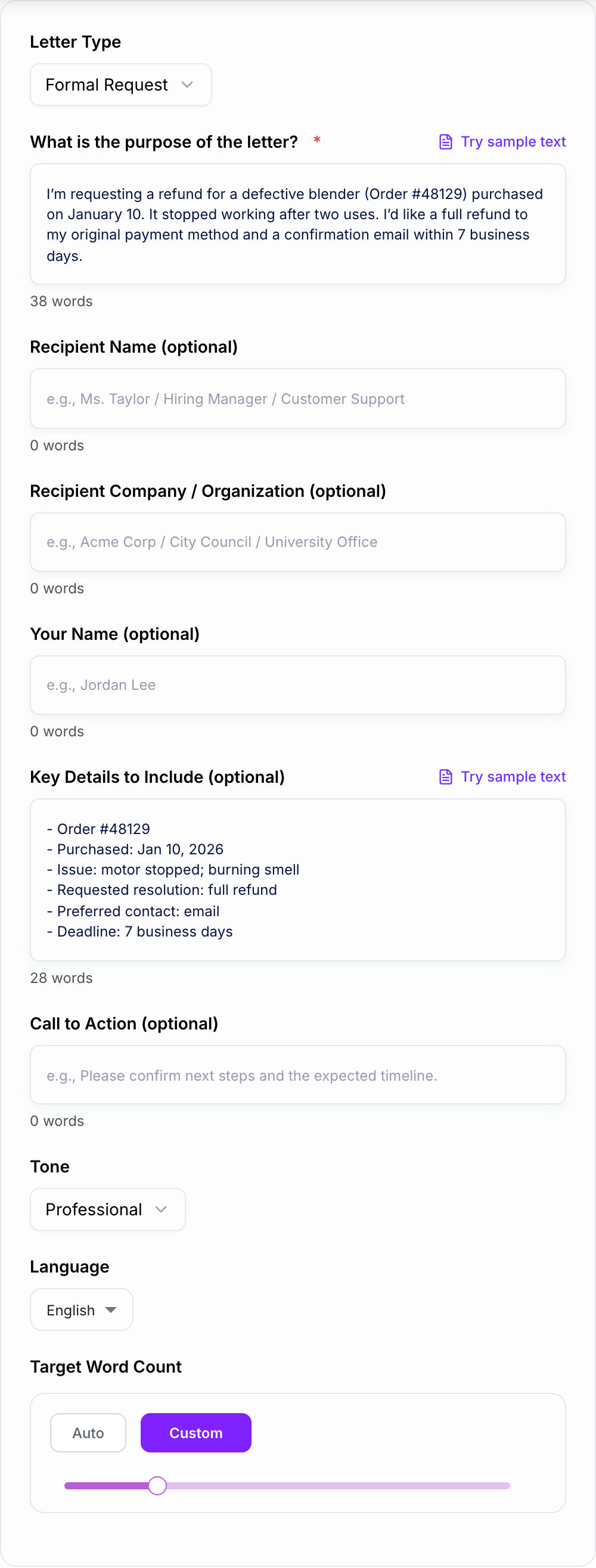
Add Purpose and Key Details
Write what you want to achieve and include important details (dates, reference numbers, amounts, deadlines). Optional fields help personalize the letter without extra effort.
Generate and Edit
Get a polished, ready-to-send letter. Review names, facts, and specifics, then copy into email or a document and add address blocks if required.
See It in Action
Turn a rough note into a polished, professional letter with clear structure, respectful tone, and a strong closing.
Hi, I bought a blender from you and it broke. I want my money back. Please respond soon.
Subject: Refund Request for Defective Blender (Order #48129)
Dear Customer Support Team,
I’m writing to request a full refund for a blender purchased on January 10 (Order #48129). After two uses, the unit stopped working and produced a burning smell.
I have followed the recommended troubleshooting steps and confirmed the issue persists. Please advise the next steps to process a refund to my original payment method.
I would appreciate written confirmation and an expected timeline within 7 business days.
Thank you for your assistance.
Sincerely, Jordan Lee
Why Use Our AI Letter Generator?
Powered by the latest AI to deliver fast, accurate results.
Professional Letter Formatting (Salutation to Signature)
Generates a properly structured letter with a clear opening, purpose statement, supporting details, and a strong closing—ideal for formal letters, business letters, and official requests.
Tone Control for Any Situation
Choose a tone and mode (formal, friendly, concise, persuasive) to match the context—helpful for complaint letters, resignation letters, cover letters, and sensitive communications.
Clarity-First Writing (No Rambling)
Creates clear, readable sentences that communicate your request or message quickly—reducing back-and-forth and improving response rates for customer service and workplace letters.
Customizable Details and Call-to-Action
Add reference numbers, dates, and key points. The tool places them naturally and ends with a clear next step—useful for refund requests, appeals, and appointment letters.
Multilingual Letter Generator
Generate letters in multiple languages with consistent professionalism—useful for international business letters, multilingual customer support, and formal communication.
Pro Tips for Better Results
Get the most out of the AI Letter Generator with these expert tips.
Lead with the purpose in the first 1–2 sentences
Busy recipients respond faster when the request is clear upfront. State the goal early, then add brief supporting context and evidence.
Include identifiers to speed up resolution
For customer support or disputes, add order numbers, invoice IDs, dates, and relevant contacts. This reduces follow-up questions and shortens turnaround time.
Use a specific call-to-action and timeline
End with a clear next step (confirm, approve, refund, schedule) and a reasonable timeframe. This improves clarity and response rates.
Stay factual and respectful in complaint letters
Neutral wording increases cooperation. Describe what happened, what you want, and what documentation you have—without exaggeration.
Make cover letters skimmable
Use short paragraphs and mirror keywords from the job description naturally. Highlight 2–3 relevant achievements and connect them to the role.
Who Is This For?
Trusted by millions of students, writers, and professionals worldwide.
Write a Ready-to-Send Letter with an AI Letter Generator
Most letters fail for boring reasons. The purpose is buried. The tone is slightly off. The “next step” is vague. Or the whole thing reads like a rushed text message copied into an email.
A solid letter is simpler than people think. It just needs structure, clarity, and a closing that makes it easy for the recipient to act.
That’s exactly what this AI Letter Generator helps with. You choose the letter type, add the recipient, provide the facts, define the outcome you want, and get a ready-to-send draft that follows a clean format.
What the AI Letter Generator Includes
When you generate a letter here, you’re not only getting nicer wording. You’re getting the pieces most people forget:
- A clear opening that states the reason for writing
- A readable body that keeps facts and context in the right order
- Neutral, appropriate tone for the situation you picked
- A specific call to action so the recipient knows what to do next
- A professional closing that does not feel awkward or too aggressive
And if you are writing something sensitive, the Careful mode helps keep the language measured. Less emotional. More “here are the facts”.
What to Enter for Common Letter Types
Formal request letter
Use it for schools, landlords, workplaces, local government, basically anywhere a polite request needs a paper trail.
Include:
- what you are requesting
- why it is reasonable
- any deadline or timeline
- what you want them to confirm
Complaint letter (refund, replacement, billing dispute)
Complaint letters go sideways when they sound accusatory. The goal is resolution.
Include:
- order number, invoice ID, dates
- what happened, briefly
- what you want (refund, replacement, correction)
- how you want them to respond (email, phone, written confirmation)
Appeal letter (school, insurance, penalties)
Appeals work best when they are calm and organized.
Include:
- the decision you are appealing
- the reason you believe it should be reconsidered
- supporting facts, documentation, context
- a clear request for review
Resignation letter
Keep it short. You are not writing your life story.
Include:
- resignation statement
- last working day
- quick gratitude
- offer to help transition (optional)
Cover letter
Cover letters should be skimmable. Hiring managers do not read walls of text.
Include:
- why you are applying
- 2 to 3 relevant achievements
- a quick match to the role requirements
- a confident close
Recommendation letter
The best recommendation letters are specific. Not “hard worker”. More like “improved X by Y”.
Include:
- relationship to the person
- strengths with examples
- results, outcomes, reliability
- clear endorsement
The Letter Structure the Tool Uses
If you want a quick mental checklist, this is it:
- Why I’m writing: one or two sentences
- Key details: facts, dates, reference numbers
- What I’m asking for: the exact outcome you want
- What happens next: confirmation, timeline, contact method
- Closing: respectful, professional, done
This tool automates that structure, then adjusts the wording based on your selected letter type, recipient, desired outcome, and tone.
How to Review and Refine the Generated Letter
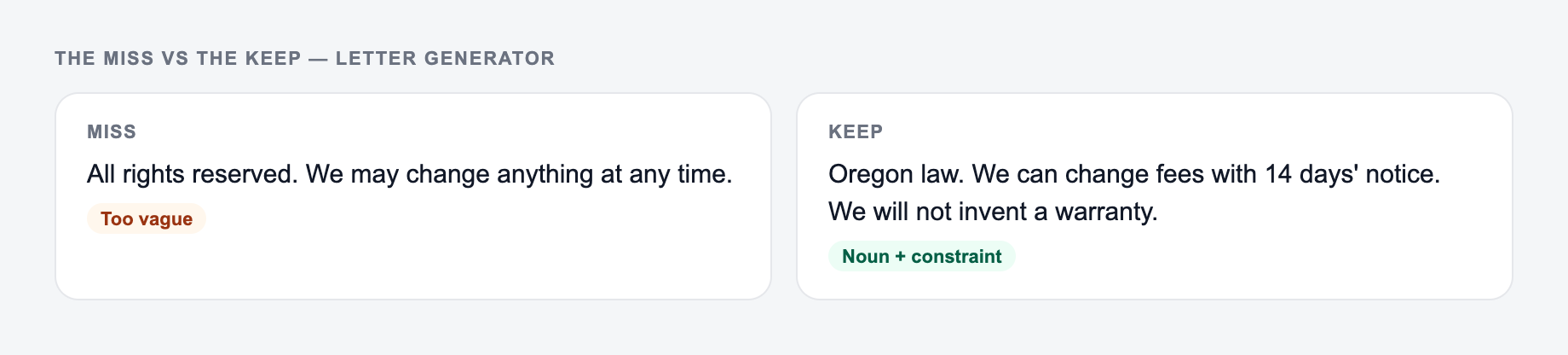
- Replace “ASAP” with a timeframe like “within 7 business days”
- Use identifiers early: order numbers, case IDs, dates
- Avoid extreme language. Even if you are frustrated. Especially then.
- Keep paragraphs short. Two to four lines max.
- If you need urgency, be specific about the impact, not dramatic about it
When to Use the Careful / Legal-Safe Mode
If your letter involves a dispute, complaints about service, damage claims, workplace conflicts, or anything that could escalate, careful wording helps.
You still state what happened and what you want, but you avoid:
- accidental admissions of fault
- threats
- claims you cannot prove
- emotional accusations that derail the conversation
It’s not legal advice, obviously. But it is a safer default when stakes feel high.
Use Junia for More Structured Writing
If you end up writing a lot of professional messages, drafts, or structured content, the tools on Junia AI can help keep the same idea going: clear structure, human tone, and less time spent rewriting the same sentence ten times.
Purpose, Ask, and Paper Trail
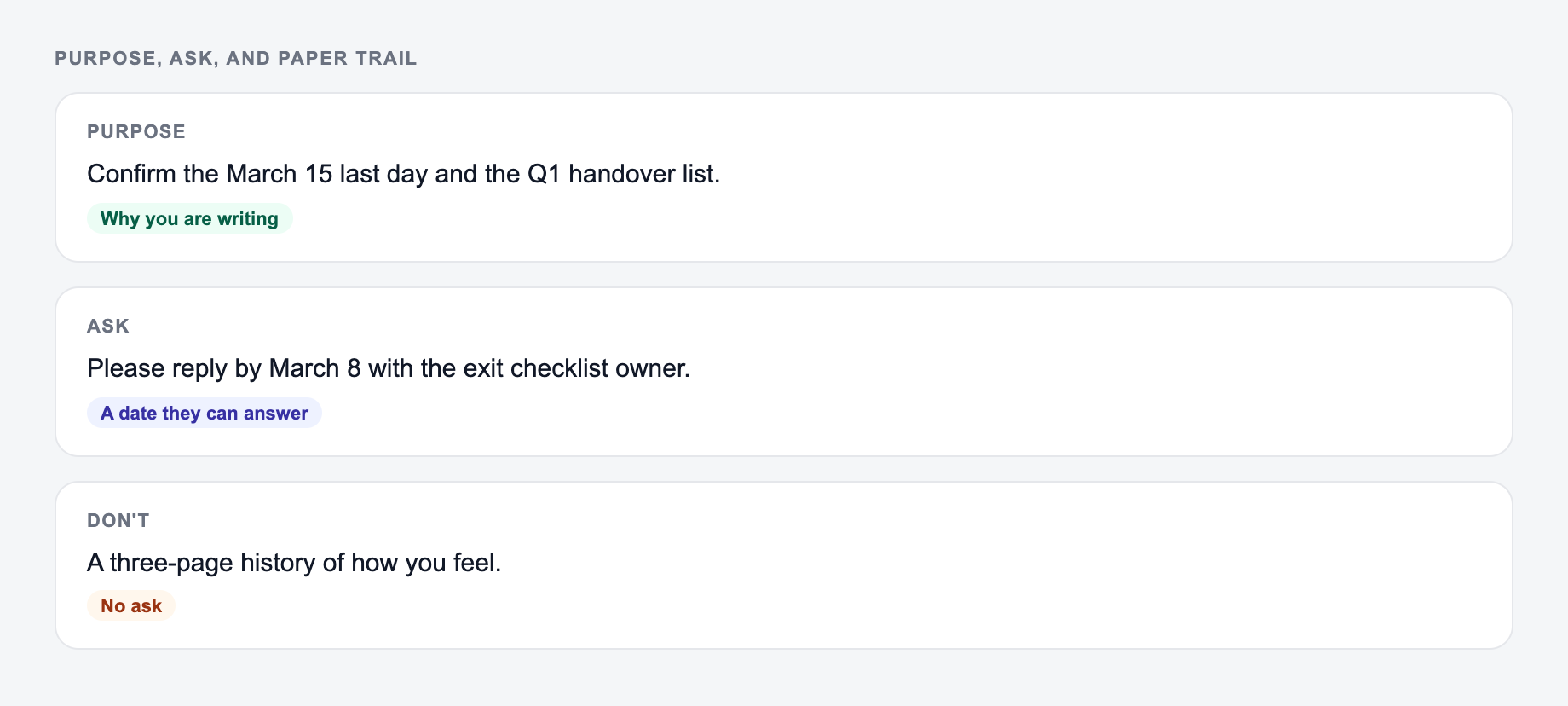
A sendable letter has three non-negotiables: why you are writing, what you want the recipient to do, and which facts you are putting on the record. Generated warmth cannot replace those.
Settle the purpose, the facts, and the ask before you worry about tone.
Worked complaint letter skeleton:
- Purpose: request a written correction to invoice #4812 dated 12 March 2026.
- Facts: the invoice billed two unused seats; attached screenshot of the seats page on 11 March.
- Ask: issue a credit for those seats by 25 March, sent to the billing email on file.
- Tone: firm and polite. No threats, no diagnosis of the company’s motives.
Careful/legal-safe mode is for reducing reckless wording, not for hiding facts or creating legal rights. Do not generate admissions, ultimatums, or medical/employment conclusions you cannot stand behind. Names, dates, amounts, and attachments still need a human pass. This is not legal advice.
Frequently Asked Questions
Is this AI letter generator free to use?+
Yes. You can generate professional letters for free. Some advanced modes (like Persuasive or Careful/Legal-Safe wording) may be marked as premium.
What types of letters can I generate?+
You can generate formal request letters, business letters, complaint letters, appeal letters, resignation letters, cover letters, recommendation letters, thank-you letters, apology letters, and custom letters.
Will the letter include proper formatting?+
Yes. The generator follows standard letter structure (salutation, opening, body, call-to-action, closing, signature). You can copy it into email or a document and add addresses if needed.
Can I control the tone and level of formality?+
Yes. Choose a tone and mode (Standard, Formal, Friendly, Concise, and more). This helps you match workplace etiquette, customer support expectations, or personal communication style.
Can the tool write letters in different languages?+
Yes. Select an output language and the tool will generate a professional letter in that language while maintaining the correct structure and clarity.
Is this suitable for legal disputes or official complaints?+
It can help you draft a clear, respectful letter. For sensitive disputes, use the careful wording mode and verify details. This tool is not legal advice; for high-stakes matters, consult a qualified professional.