
AI in Scriptwriting: What It Helps With and Where It Falls Apart

Thu
AI SEO Specialist, Full Stack Developer

AI can help with scriptwriting, but only if you give it the right job.
It is good at generating options, organizing messy material, finding weak spots in a draft, and helping you test alternate versions of a scene. It is much weaker at the parts that make a screenplay feel alive: subtext, restraint, lived experience, character contradiction, and dialogue that sounds like one specific person speaking under pressure.
That distinction matters. A screenplay is not just prose with scene headings. It is a technical blueprint for actors, directors, producers, editors, and crews. AI can make that blueprint easier to plan, but it cannot replace the writer's taste, judgment, or emotional intent.
TL;DR: How to use AI for scriptwriting
Use AI as a development assistant, not as the writer of record.
| Scriptwriting task | AI is useful for | Keep human control over |
|---|---|---|
| Premise development | Generating "what if" variations, genre twists, and alternate stakes | Choosing the idea with the strongest emotional engine |
| Outlining | Turning loose beats into act structure or scene sequences | Deciding what the story is really about |
| Character work | Stress-testing goals, flaws, secrets, and arcs | Making characters feel specific, contradictory, and lived-in |
| Dialogue | Creating rough variants or exposing on-the-nose lines | Voice, rhythm, subtext, silence, interruption, and implication |
| Revision | Flagging pacing issues, repeated beats, unclear stakes, or missing setup | Deciding which notes are correct and which would flatten the script |
| Formatting | Helping with screenplay conventions and production-ready structure | Final script polish and industry-specific judgment |
The best workflow is simple: write the important choices yourself, use AI to generate pressure-tested options, then rewrite everything in your own voice.
| AI helps | AI fails |
|---|---|
| Generating five midpoint options so you can reject four | Writing the "best" scene and expecting it to carry the movie |
| Flagging a scene with no turn | Knowing when a quiet scene is the point |
| Listing possible flaws in an arc | Deciding which flaw makes the character specific |
| Offering dialogue variants under pressure | Finding the line only that character would say |
| Catching a continuity miss in names or timelines | Understanding why a continuity "error" is actually a reveal |
If a suggestion would get you a credit, a sale, or a Guild argument, it is not an AI decision. It is yours.
What AI is actually good for in scriptwriting
AI works best when the task has clear boundaries. "Write me a great feature screenplay" is too broad. "Give me five ways to raise the stakes in this midpoint without adding a new character" is much better.
That is why the strongest uses are usually early development and revision support.
1. Getting past the blank page
Blank pages are expensive. Not financially, necessarily, but creatively. They make writers delay decisions.
AI can help by giving you rough material to react against:
- Ten possible inciting incidents for the same premise
- Three versions of a protagonist's hidden wound
- Five ways a scene could end badly
- Alternate logline angles by genre
- A list of complications that force the hero to act sooner
Most of these ideas will not be good enough to use as-is. That is fine. The value is momentum. Often, seeing five mediocre options helps you recognize the one sharper direction you actually want.
If the story is still shapeless, begin with the basics before asking AI for scenes. A screenplay still needs the same foundations as any strong narrative: a character who wants something, pressure that blocks them, and change that matters. A basic story-writing pass helps you fix that foundation before the tool starts generating scenes on top of a weak premise.
2. Building and stress-testing outlines
AI can turn a messy set of notes into a cleaner outline quickly. That is useful when you already know the story but need to see the shape.
For example, you can ask:
Act as a script editor. I am not asking you to write scenes. Review this outline for weak cause-and-effect, passive character choices, repeated beats, and places where the stakes stop escalating. Give me notes in order of severity.
That kind of prompt keeps the tool in the right lane. You are asking for analysis, not authorship.
Structure models can help here, as long as you treat them as a checklist rather than a formula. StudioBinder's breakdown of the Save the Cat beat sheet is a clean reminder of what each beat is supposed to do. I would use it to pressure-test an outline, not to ask AI to "write a Save the Cat script."
Save the Cat Beat Sheet — Interstellar Explained in 15 Beats by StudioBinder
The same approach works for scene lists. Paste a beat sheet and ask AI to identify which scenes change the story, which scenes repeat information, and which scenes could be combined. Then make your own decision. AI is useful for surfacing possibilities, but it is not reliable enough to decide what your story means.
3. Improving scene logic
One of the best uses of AI is scene diagnosis.
Give it a scene summary and ask specific questions:
- What does each character want in this scene?
- Where does the power shift?
- What new information does the audience learn?
- Does the scene end in a different emotional or practical state than it began?
- Which lines are explaining feelings instead of revealing them through action?
This is where AI can act like a fast, imperfect script reader. It may catch obvious issues: a scene with no turn, stakes that arrive too late, or two characters who sound too similar. But you still need to check the notes against your intention. Sometimes a scene is quiet on purpose. Sometimes ambiguity is the point.
4. Creating rough dialogue alternatives
AI can produce dialogue variants quickly, but you should treat them as scratch work.
It tends to make characters speak too clearly. They explain what they feel, state the theme too directly, and resolve conflict faster than people usually do. That is why AI dialogue often sounds "clean" but not dramatic.
A better use is to ask for contrast:
Rewrite this exchange three ways: one version where both characters avoid the real subject, one where the antagonist is polite but threatening, and one where the protagonist tries to joke because they are scared. Do not add exposition.
You are not looking for final lines. You are looking for pressure, rhythm, and options. The final dialogue still needs the human pass: interruptions, evasions, half-truths, silence, and the little choices that reveal character.
If AI output sounds too smooth, revise it with human touch in mind. The goal is not to make a line prettier. It is to make it more truthful to the character and moment.
Where AI falls apart
AI-generated screenplay pages can look competent at first. Scene headings are formatted. Action lines are readable. Dialogue has punctuation. The shape may even resemble a movie.
The problem is usually underneath.
It copies patterns without knowing why they work
AI has seen many versions of familiar story shapes. That makes it good at producing something that looks like a thriller, romantic comedy, superhero origin story, or contained horror premise.
But pattern is not the same as meaning. A great scene works because the writer understands pressure: what the character wants, what they cannot say, what they are afraid to lose, and what changes by the end. AI can imitate the surface of that structure, but it often misses the emotional reason the scene exists.
It over-explains emotion
New screenwriters often make characters say exactly what they feel. AI does the same thing.
Real dramatic dialogue usually works in the opposite direction. Characters hide, deflect, attack, charm, negotiate, lie, or joke around the real feeling. Subtext is not decoration. It is often the scene.
It creates generic "screenplay prose"
AI action lines often lean on the same cinematic words: shadows, neon, silence, echoes, flickers, haunted eyes, breath catching, rooms that "feel alive." Used once, those choices may be fine. Used constantly, they become a signal that the writing is imitating atmosphere instead of choosing details.
A stronger screenplay page uses fewer, sharper details. It tells the reader what can be filmed and what changes in the moment.
It can hallucinate continuity
AI may forget a character's age, motivation, timeline, or earlier choice, especially across long scripts. Even when it remembers facts, it may misunderstand why they matter.
That is why long-form script work needs a separate continuity pass. Track names, dates, locations, props, promises, reveals, injuries, rules of the world, and unresolved story questions outside the AI chat.
The legal and industry line: be careful
AI in screenwriting is not only a craft question. It is also a credit, copyright, disclosure, and labor issue.
The Writers Guild of America says the 2023 MBA created AI protections for writers, including limits around AI-generated material and writing credit. The WGA's own AI guidance is the right place to check if you are working under Guild conditions or selling into that ecosystem.
Do not pass an AI draft off as original writing. If a company, contest, or Guild agreement asks who wrote the script, "I used ChatGPT a bit" is not a loophole. Credit, copyright, and disclosure are not craft tips. They are terms of work. I would not upload a spec, a client's draft, or someone else's IP into a chatbot to "just see what it does."
Copyright is also tricky. The U.S. Copyright Office has made clear that works containing AI-generated material need human authorship analysis, and applicants may need to disclose AI-generated portions when registering. Its AI copyright guidance is worth reading before you submit or commercialize work that includes AI-generated text.
Practical rule: if you are writing professionally, do not paste confidential scripts, commissioned material, or third-party IP into an AI system unless you understand the tool's data settings, your contract, and the policies of the company or Guild rules involved.
A safe AI scriptwriting workflow
Here is the workflow I would use if I wanted AI help without handing over the creative core.
Step 1: Write the premise yourself
Do not start by asking AI for a movie idea.
Write your own messy version first:
- Who is the protagonist?
- What do they want?
- Why now?
- What blocks them?
- What happens if they fail?
- What emotional question does the story test?
Once you have that, AI can help you test variations. If the difference between a short film, feature, novel, and flash piece is still unclear, this breakdown of story formats can help you choose the container before you generate more material.
Step 2: Use AI for options, not decisions
Ask for multiple versions of a beat, not one "best" answer.
Good prompts sound like this:
- "Give me five ways to make this midpoint more active without adding a new subplot."
- "List three possible flaws in this protagonist's arc."
- "What is the weakest cause-and-effect link in this outline?"
- "Give me alternate endings where the protagonist wins externally but loses emotionally."
Then choose. Do not average the suggestions into a bland compromise.
Step 3: Protect character voice
Before using AI for dialogue, write a short voice note for each major character:
- Education and social background
- What they avoid saying
- How they use humor, silence, anger, or charm
- Words they would never use
- How they behave when cornered
This keeps the tool from giving every character the same polished voice. Junia's guide to types of tone in writing is useful here because tone is not just mood. It affects diction, rhythm, distance, and emotional pressure.
Step 4: Run a revision pass in layers
Do not ask AI to "make the script better." That usually produces vague praise and generic notes.
Run separate passes:
| Revision pass | Ask AI to check | Human decision |
|---|---|---|
| Structure | Missing setup, weak turns, passive choices | Whether the story's shape still serves the theme |
| Character | Unclear goals, inconsistent motivation, thin arcs | Whether the character feels specific and surprising |
| Dialogue | On-the-nose lines, repeated voices, exposition dumps | What should stay implied or unsaid |
| Pacing | Repeated beats, slow openings, late conflict | What tension the audience needs in each scene |
| Continuity | Names, timeline, locations, unresolved setup | Whether the fix changes the story logic |
For final cleanup, a tool like Junia's AI text editor can help tighten rough prose, but do not accept style changes automatically. Screenplay writing often needs compression, not generic polish.
Useful AI tools for scriptwriters
Different tools support different parts of the process. The mistake is expecting one tool to do everything.
| Tool | Best use in scriptwriting | Watch out for |
|---|---|---|
| Junia AI | Brainstorming, structured drafting, editing support, and adjacent content workflows | Not a substitute for screenplay craft or final creative judgment |
| ChatGPT | Ideation, outline pressure-testing, scene alternatives, and feedback prompts | Can sound confident while giving weak or generic notes |
| Final Draft | Professional formatting, production-ready script documents, planning, collaboration, and reports | Formatting help does not solve story problems |
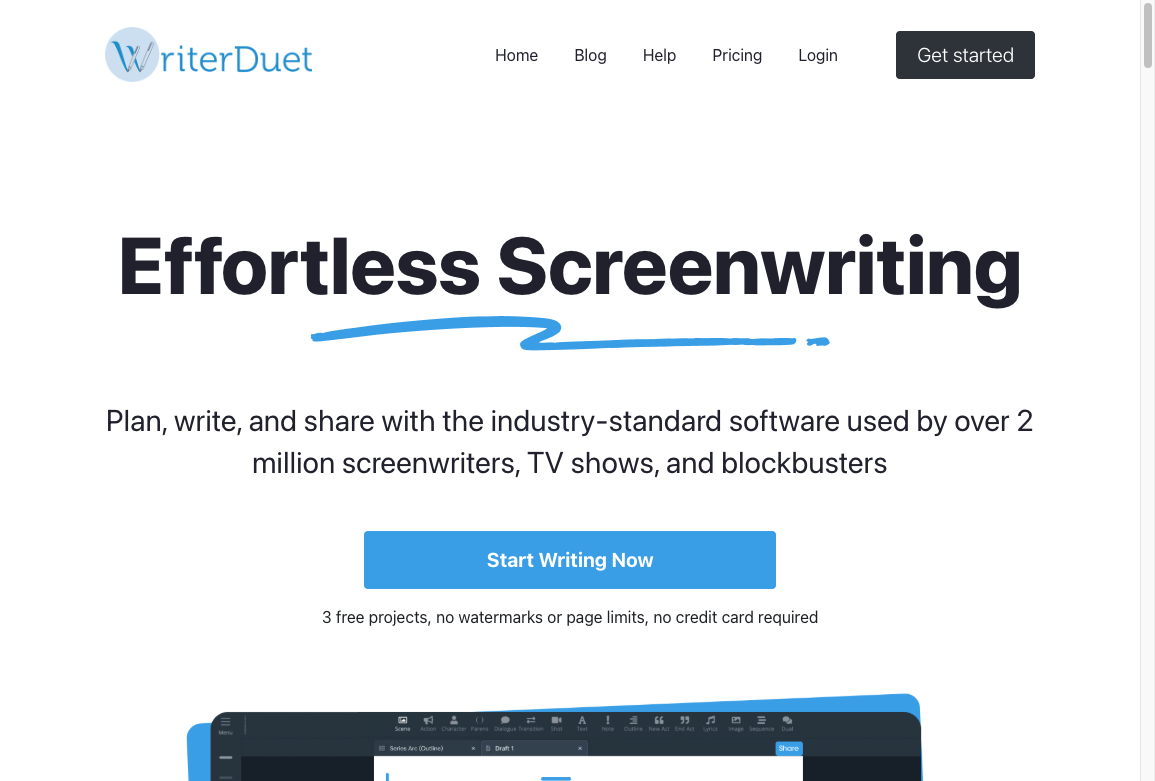
| WriterDuet | Collaboration, drafting, and screenplay-specific workflow support | AI or proofreading features still need manual review |
| Celtx | Script planning, production organization, and team workflows | Better for process management than emotional rewriting |
If your "script" is really a marketing video, YouTube outline, product explainer, or short social clip, use a more specific tool. Junia's video script outline generator can structure the hook, beats, and call to action for longer video content. Short-form social is a different job. Compression matters more than screenplay format, so a reel-style outline is the better starting point.
AI in screenwriting examples: what they teach us
AI screenwriting has already produced some useful experiments, but most of them teach caution more than replacement.
The short film Sunspring is the obvious example. It turned an AI-written science fiction script into a real production, and the result was strange, funny, and often incoherent. That is exactly why it is interesting. It showed that AI can produce surprising material, but it also showed how much human interpretation is needed to make that material watchable.
Script analysis tools are a more practical example. Some platforms analyze scripts for structure, genre, character dynamics, and commercial signals. That kind of feedback may help writers and producers see patterns faster, but it should not be treated as a verdict. A script can score well and still feel dead. A script can violate rules and still work because the writer knows exactly what they are doing.
The more useful lesson is this: AI is strongest when it supports a writer who already has taste. It is weakest when it replaces taste with probability.
What screenwriters should avoid
Do not use AI to write the full first draft
This sounds efficient, but it usually creates more work later. You may get a complete script quickly, but then you have to fix the premise, characters, tone, dialogue, logic, and emotional shape. At that point, writing from scratch may be faster.
Do not paste sensitive scripts into random tools
Original screenplays, client work, commissioned drafts, pitch decks, bibles, and unreleased IP deserve caution. Check privacy settings, data retention, training policies, contract restrictions, and disclosure requirements before uploading anything valuable.
Do not trust AI coverage blindly
AI can give useful notes, but it can also praise weak material, misunderstand genre, miss setup/payoff, or invent continuity problems that are not there. Treat it like a fast reader with no accountability.
Do not let AI flatten your voice
AI often sands off the weirdness that makes writing memorable. If every line becomes smoother, clearer, and more symmetrical, the script may become less alive.
The same thing happens in other writing categories. AI can polish a draft until it sounds professional but anonymous. That is why good editing matters. These AI text editing examples show the difference between useful cleanup and voice-flattening rewrite work.
Does AI replace screenwriters?
Not at the level that matters.
AI can produce pages. It can follow format. It can imitate genre. It can help beginners get closer to a readable script. It can help experienced writers move faster through brainstorming, outlining, and revision.
But screenwriting is not only page generation. It is judgment under constraint. It is knowing what to leave out, what to delay, when a character should lie, when silence is stronger than explanation, and when a scene needs one precise image instead of a paragraph of atmosphere.
The safest answer is also the most practical one: AI will not make weak writers strong by itself. It will make disciplined writers faster, especially during development and revision. The craft still belongs to the person making the choices. If the page looks like a screenplay but the character could be swapped for anyone, you do not have a draft yet. You have a format.
Final take
AI belongs in scriptwriting when it helps the writer think more clearly.
Use it to generate options, test structure, diagnose weak scenes, and speed up early revision. Avoid using it as an autopilot for full scenes, final dialogue, or creative decisions that define the work.
The line is not "AI or human." The better line is this: let AI handle speed, but keep the writer responsible for meaning.