
Free SEO Content Brief Generator
Generate SEO content briefs that writers can use immediately. Turn a topic, keyword, audience, and competitor context into a SERP-informed outline with search intent, section notes, FAQs, internal link ideas, and an on-page optimization checklist.
SEO Content Brief
Your SEO content brief will appear here...
How the SEO Content Brief Generator Works
Get results in seconds with a simple workflow.
Enter a Topic (Optional: Keywords and Competitors)
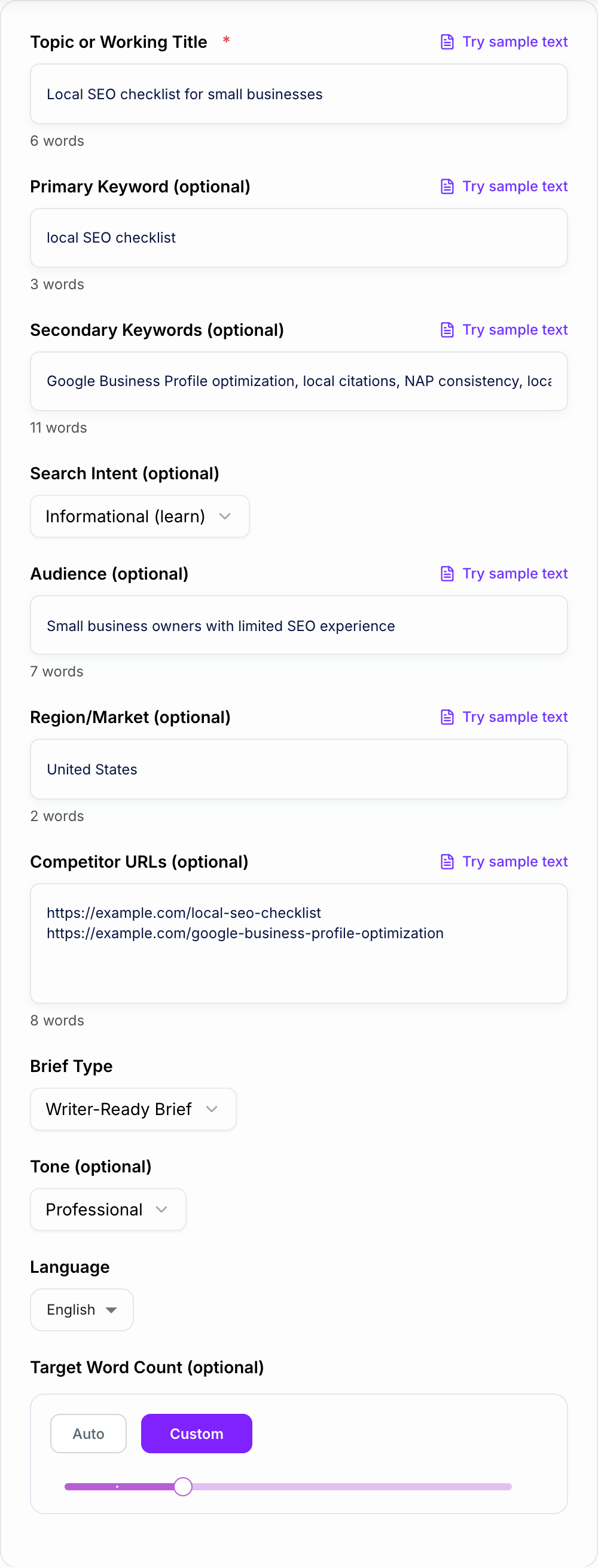
Add your topic or working title. Optionally include a primary keyword, supporting keywords, and competitor URLs to steer the outline toward what’s ranking and what users expect to find.
Choose Intent, Audience, and Brief Type
Select search intent (informational, commercial, transactional), specify your audience and region if relevant, then choose a brief type (outline-only or writer-ready brief).
Generate a Brief and Use It to Write Faster
Get a structured SEO content brief with headings, section notes, FAQs, keyword guidance, internal linking ideas, and an on-page checklist—ready to hand off to a writer or draft yourself.
See It in Action
Turn a rough topic into a writer-ready SEO content brief with headings, keyword guidance, FAQs, internal links, and an on-page checklist.
Topic: local SEO checklist
I need an outline and some keywords for this post.
SEO Content Brief: Local SEO Checklist for Small Businesses
Primary keyword: local SEO checklist Search intent: informational Target audience: small business owners
Recommended title options:
- Local SEO Checklist: 25 Steps to Rank Higher in Google Maps
- Local SEO Checklist for Small Businesses (Google Business Profile + Citations)
Outline (H2/H3) + section notes: H2: What Is Local SEO (and Why It Matters)
- Define local SEO; explain map pack vs organic results
- Mention Google Business Profile (GBP) as a core asset
H2: Step 1 — Set Up and Optimize Your Google Business Profile H3: Choose the right primary category H3: Add services/products, photos, and business description H3: NAP consistency and business hours
H2: Step 2 — Fix NAP Consistency and Build Citations
- Top citation sources; how to audit duplicates
H2: Step 3 — On-Page Local SEO for Location Pages
- Title tag formulas, H1/H2 patterns, embedded map, reviews
H2: Step 4 — Get More Reviews (and Respond Correctly)
- Review acquisition ideas; response templates; compliance tips
H2: Step 5 — Local Link Building and Community Signals
- Partnerships, sponsorships, local PR
FAQ: Q: How long does local SEO take? Q: Do I need a physical address to rank? Q: What is NAP consistency? Q: How many citations do I need?
Internal link ideas:
- Link to: “Google Business Profile optimization guide”
- Link to: “Local keyword research tutorial”
On-page checklist:
- Title tag includes primary keyword + location modifier where relevant
- One clear H1; descriptive H2/H3s
- Add images with descriptive alt text
- Consider FAQPage schema for the FAQ section
Why Use Our SEO Content Brief Generator?
Powered by the latest AI to deliver fast, accurate results.
SERP-Aligned Outline (H2/H3) With Section Notes
Generates a search-intent-focused outline with recommended H2/H3 headings and clear guidance for what to include in each section—so writers can draft faster and cover the topic comprehensively.
Keyword Map: Primary, Secondary, Variants, and Entities
Provides a keyword plan that includes the primary keyword, supporting keywords, close variants, and topical entities to improve relevance and reduce thin content—without keyword stuffing.
FAQ Questions for Long-Tail SEO Coverage
Adds an FAQ section with realistic questions users search for, helping you target long-tail keywords and increase topical completeness for SEO content optimization.
Internal Link and Content Cluster Suggestions
Suggests internal link targets (pillar/supporting pages) and related subtopics so you can build topic clusters, strengthen internal linking, and improve crawl paths.
On-Page SEO Checklist (Title, Meta, Headings, Media, Schema)
Includes an actionable on-page SEO checklist covering title tag, meta description, heading structure, image alt text, suggested schema types, and editorial quality checks before publishing.
Pro Tips for Better Results
Get the most out of the SEO Content Brief Generator with these expert tips.
Match headings to intent (not just keywords)
For informational intent, prioritize definitions, steps, examples, and pitfalls. For commercial intent, include comparisons, evaluation criteria, and “best for” sections. Intent alignment improves engagement and SEO performance.
Use a keyword map to prevent keyword stuffing
Pick one primary keyword, then support it with 4–10 closely related secondary keywords and entities. Use them naturally in headings and FAQs to expand coverage without repeating the same phrase.
Add internal links before you publish
Link to a relevant pillar page and 2–6 supporting pages. Strong internal linking helps search engines understand your topic cluster and improves discoverability across your site.
Include proof and experience to improve E-E-A-T
Add firsthand steps, screenshots, templates, real examples, and references to trustworthy sources. This makes content more credible and less generic than typical AI output.
Turn the brief into a repeatable template
If you publish in a niche, reuse the same brief structure across similar topics to maintain consistency in SEO quality and editorial standards.
Who Is This For?
Trusted by millions of students, writers, and professionals worldwide.
Generate Writer-Ready SEO Briefs From a Topic or Keyword
The SEO Content Brief Generator turns a loose topic into a usable plan for a writer, editor, or content team. Instead of starting with a blank outline, you can generate a brief with search intent, keyword guidance, headings, section notes, FAQ ideas, internal link prompts, and a final on-page checklist.
Use it when you need to move from "we should write about this" to "here is exactly what the page should cover." That is especially useful for agencies, in-house SEO teams, editors assigning work, and founders planning content without a full SEO department.
For larger workflows, a connected SEO agent can use the brief as the planning layer before writing, optimization, internal linking, and performance review.
What to Enter Into the SEO Content Brief Generator
The brief improves when the input is narrow enough to guide the outline.
Start with a topic or working title that includes the page angle:
local SEO checklist for small businesseshow to reduce churn for B2B SaaSbest CRM software for real estate agentspricing page examples for subscription products
If you already have keyword research, add one primary keyword and a short list of secondary keywords. If you do not, generate the first brief from the topic, then refine the keyword map after review. A dedicated AI keyword research pass can make the brief sharper because it gives the generator clearer intent, related queries, and topic clusters to work with.
Competitor URLs are useful when you want the brief to reflect what searchers already expect from top-ranking pages. Paste only relevant competitors, not every page you found. A weak competitor list can make the outline more generic.
How to Choose the Right Brief Mode
Each mode should match the job you need the brief to do.
SERP-Style Outline
Use this when you only need the structure: title options, H2/H3 direction, and key points per section. It is best for quick planning, first-pass content calendars, or checking whether a topic is worth assigning.
Writer-Ready Brief
Use this for most production work. It gives writers more context: keyword map, section notes, FAQs, internal link ideas, and a publishing checklist. This is the mode to choose when someone else will draft the article from your brief. If you are drafting it yourself, the brief can go straight into a blog post generator as the outline, so the first draft already follows the headings and intent you approved.
Product-Led Brief
Use this when the article needs to mention a product or service naturally. The goal is not to turn every section into a sales pitch. The brief should identify places where a product example, use case, screenshot, or soft CTA would genuinely help the reader.
Expert Depth + E-E-A-T
Use this for competitive topics where a basic outline will not be enough. This mode should push the brief toward examples, decision criteria, pitfalls, trust signals, and experience-based angles that make the final article harder to copy.
How to Review the Generated Brief Before Writing
Do not hand off the brief blindly. A strong SEO brief still needs editorial judgment.
Check these items before a writer starts:
- Does the outline match the search intent?
- Are the headings specific, or could they fit any article on the topic?
- Does the keyword map include real supporting concepts, not repeated variants?
- Are the FAQs questions a reader would actually ask?
- Are internal link suggestions relevant to the section where they would appear?
- Does the checklist include title, meta description, media, schema, examples, and final quality review?
If the brief feels thin, improve the input and regenerate. Often the fix is simple: add the audience, region, competitor examples, or a clearer content angle.
Turning the Brief Into a Finished Article
A practical workflow looks like this:
- Generate the brief.
- Remove headings that do not match the intent.
- Add missing examples, product angles, expert notes, or source requirements.
- Draft the article manually or with an AI article writer.
- Add internal links where they naturally help the reader.
- Run the finished draft through an SEO optimization workflow before publishing.
If you want to understand the manual thinking behind the tool, this guide to creating an SEO content brief is useful for spotting weak outlines, missing intent, and vague writer instructions. If you would rather write the brief by hand, a fill-in content brief template gives you the same sections to work through.
Common Brief Mistakes to Fix
The first mistake is targeting a keyword without deciding the page format. A "best" query, a "how to" query, and a product-led landing page need different structures.
The second mistake is giving writers headings without section notes. Headings show the shape of the article, but notes explain what each section must prove, compare, explain, or avoid.
The third mistake is treating internal links as a separate SEO chore. Add them to the brief where they help the reader continue a thought, compare a related tool, or understand a supporting concept.
The fourth mistake is skipping the final quality pass. Teams using AI software to scale content production need briefs that enforce standards, not just speed. After publishing, an AI content quality checklist can help catch repetition, weak examples, missing citations, and thin optimization.
Final Checklist Before You Use the Brief
Before assigning or drafting from the generated brief, confirm that it includes:
- one clear primary intent
- a specific audience
- a realistic title direction
- section-level instructions, not just headings
- keyword and entity guidance
- useful FAQ targets
- internal link opportunities
- source, example, and proof requirements
- a practical on-page SEO checklist
If the brief passes those checks, it is ready to guide a draft. If it does not, fix the input and generate again before the writing begins.
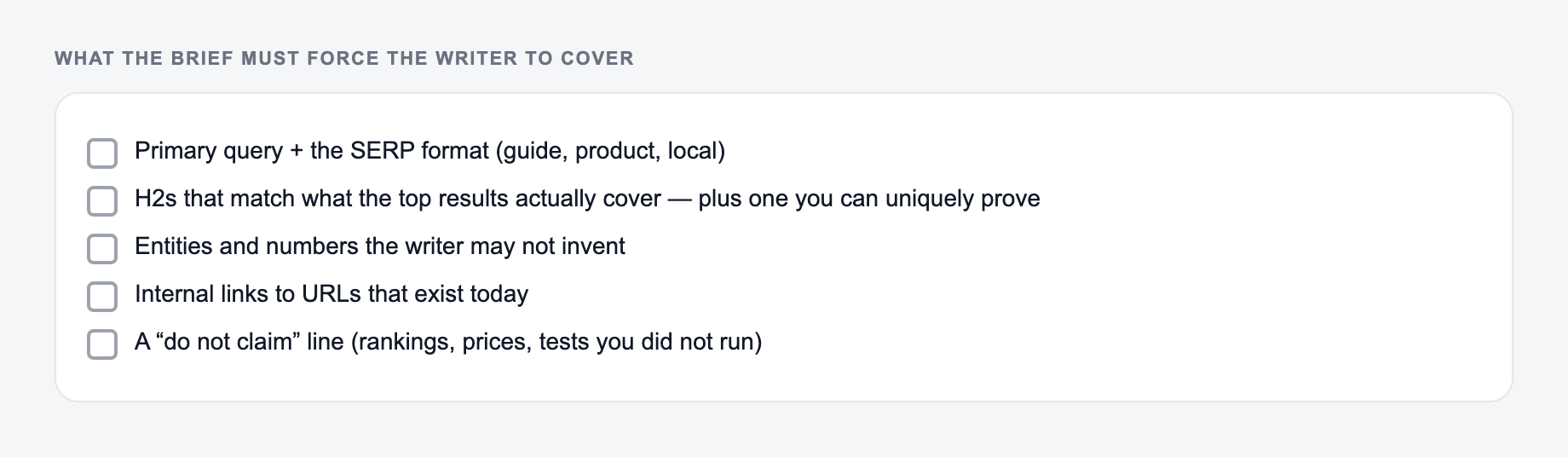
SERP Contract: What the Brief Must Force the Writer to Cover
A brief is ready when it tells the writer how to beat the current results, not how to mention a keyword. Fill this contract before assigning:
Enter the query and the page type you can publish. The brief should force coverage, not invent SERP claims.
| SERP pattern | Brief must specify | Fail if |
|---|---|---|
| Template roundup | Which templates, what makes yours different | Generic “include examples” |
| How-to | Tools, time, and a worked walkthrough | Outline-only H2s |
| Comparison | Decision criteria and who should not buy | Feature dump with no loser |
| Definition | Who needs the term and a next-step page | Glossary fluff |
Worked keyword: “content brief template.” If page one is downloadable templates, the brief should require a fillable outline, a filled example, and a section on what to exclude. “Write a comprehensive guide” is not an instruction.
AI Article Writer
Turn one keyword into a complete, SEO-optimized article
- Researches the topic and outlines the article for you
- Writes headings, images, FAQs, and internal links in one go
- Publishes to WordPress, Webflow, Shopify, Ghost, and more
Frequently Asked Questions
What is an SEO content brief?+
An SEO content brief is a document that guides writing and optimization. It typically includes the primary keyword, search intent, target audience, recommended headings (H2/H3), key talking points, internal linking ideas, FAQs, and an on-page SEO checklist.
Does this tool write the full article?+
No. This tool generates a content brief and outline, not a full draft. The goal is to produce clear instructions so you (or a writer) can create high-quality, original content that matches search intent.
Do I need to provide keywords to generate a brief?+
No. You can enter only a topic and the tool will infer a primary keyword and suggested secondary keywords. If you already have target keywords, adding them helps the brief match your SEO strategy more closely.
How does a content brief help with SEO?+
A good SEO brief improves topical coverage, reduces missed subtopics, aligns content to search intent, and ensures strong on-page SEO fundamentals (headings, meta, internal links, FAQs). This increases the chances your content is useful and competitive in search results.
Can I use this for commercial or transactional pages?+
Yes. Choose commercial or transactional intent to get headings and talking points that support comparisons, decision criteria, objections, trust signals, and conversion-focused sections while staying helpful and non-spammy.
Will the brief include schema recommendations?+
Yes. The on-page checklist can suggest relevant schema types (for example, FAQPage, Article, HowTo, Product) when appropriate, along with guidance on where they fit best.