
10 AI Writing Tools for SEO—What Each Is Actually Best At (Human-Tested)

Thu
AI SEO Specialist, Full Stack Developer

Introduction
SEO (search engine optimization) is actually super important if you want people to find your website. Like, if you're sitting there wondering why your site isn’t showing up high on search engine results pages, it’s probably because your SEO isn’t that good or the SEO practices are kind of off.
The good thing is, there are now AI writing tools for SEO that can really help boost how well your website performs. These AI tools are becoming a big deal in content creation, because they can help you write SEO-friendly content and improve your chances of ranking higher on search engines. Basically they save time and help a lot.
In this blog post, we'll be going over some of the top AI writing software for SEO. We've done extensive research and testing to identify the best tools out there, looking at things like real-world SEO scenarios, user experience, and the different features each tool offers. So yeah, if you’re trying to level up your SEO game and take your website to a whole new level, just keep reading!
Looking for the best all-in-one AI tools for SEO (also known as SEO AI Tools) that are not limited to only writing SEO-optimized content but go beyond content creation with a wide range of functionalities? Take a look at this carefully curated list of Best SEO AI Tools.
Best AI Writing Tools For SEO: Our Top Picks
| Ranking | Top AI Writing Tool for SEO | Pros | Cons | Notable Features |
| 1. | Junia AI | Comprehensive content creation tools, advanced SEO features, unique brand voice development. | Limited free trial availability, imperfect foreign language support. | SERP analysis, text editor, keyword research, one-click publishing. |
| 2. | Surfer SEO | Provides insights into competitor strategies, helps find high-performing keywords. | Limited customization options for generated content. | Competitor keyword analysis, related keyword suggestions, content optimization recommendations. |
| 3. | Frase.io | AI-powered SEO-optimized content creation | Limited features compared to other AI writing tools for SEO | AI-powered writing, content optimization recommendations for SEO. |
| 4. | CopySmith | Balances creativity and technical proficiency for high-quality content. | Requires time to understand all features, may need fact-checking for accuracy. | Bulk content generation, unique blog topics/frameworks generation, keyword-rich meta summaries. |
| 5. | SEMrush Writing Assistant | Real-time SEO guidance, instant recommendations, content optimization. | Offers real-time guidance, instant SEO recommendations, readability and tone checks. | Limited customization options for generated content. |
| 6. | WriteSonic | User input reliance for target audience understanding; integration with Surfer SEO. | Simplifies content creation via powerful AI engine trained on various styles/industries; generates articles/product descriptions/ad copies; SEO-friendly content. | Lacks advanced editing options like Junia.AI; may require challenging post-editing; may lack personal touch/creativity. |
| 7. | Jasper AI | Comprehensive feature set; flexibility with tone control and multilingual support; time-saving template library. | Requires familiarization with features; output quality depends on instructions specificity. | Blog posts, social media captions, product descriptions creation; Short-Form Assistant for concise content creation; Template Library for starting points; Surfer SEO Integration for optimized articles; Language tone control; Multi-language support |
| 8. | ChatGPT | Increases audience involvement; improves user experience and worth for search engines; time-saving content creation. | Context understanding limitations; dependent on pre-trained data for text quality; limited post-editing capabilities. | Human-like text creation using machine learning rules; adaptable writing styles; interactive writing for user involvement |
| 9. | Outranking | User-friendly interface, AI assistance, high-quality content. | Requires manual input, potentially higher cost. | Detailed guidance and prompts to meet search engine requirements. |
| 10. | Notion AI | 'Continue Writing' feature for uninterrupted flow of ideas; 'Command AI to write' feature for personalized text generation; adapts to different content types; improves SEO writing skills. | Limited customization options for generated content. | 'Continue Writing' feature; 'Command AI to write' feature |
The Power of AI Writing Tools for SEO
So, okay, imagine this for a second. You’ve got this big toolbox on your screen, and every single tool in there is meant to help your content show up better on search engines. Like, it’s literally built just for that. Inside, you’ve got stuff like:
- Keyword research, which gives you helpful insights into the words and phrases that can make your content super attractive to search engines. Kind of like, it makes it really hard for them to ignore what you wrote.
- Auto generate seo-optimized content, where AI algorithms help put together engaging and relevant content that both users and search engines actually want to read. Not just some random robotic text.
- Content strategy planning, which lets you plan, schedule, and manage all your content in one place. You can keep everything lined up with your SEO goals and also your bigger strategy thing you’ve got going on.
- Readability checks that help make sure your content is still easy to read and actually feels appealing, not super boring or confusing or anything like that.
Benefits of Using AI Writing Tools for SEO
From saving a bunch of time to actually helping improve your website ranking, these AI writing software tools are kind of a game-changer in the digital marketing world. They just make things easier, you know, especially when you’re trying to keep up with content all the time.
1. Optimizing Your Website Content
One of the main benefits of AI writing tools for SEO is how they can create high-quality, keyword-rich articles that are shaped around what search engine algorithms like. And yeah, it actually gets better. These tools keep up with constant search engine algorithm changes, so your content stays SEO-friendly and doesn’t fall behind.
2. Saving Time, Money, and Effort
Creating SEO-friendly content takes a lot of time and effort, honestly. But when you have AI writing tools to help you out, you don’t really need to stress about that part of your business anymore. Just think about all the other important things you could be working on instead, like seriously, there’s probably a lot waiting for you!
3. Improving Website Ranking
High-quality content isn’t just there to get people to read it, it also really helps improve your website’s ranking on search engine results pages too. When an AI tool optimizes your content for SEO, it usually leads to increased visibility and organic traffic, which is kinda the main goal, right?
4. Attracting More Readers
Let’s be honest, we all enjoy content that actually keeps us interested. When you’ve got AI writing tools helping you out, you can keep making that kind of engaging stuff again and again. And remember, more readers translate to more potential customers! So yeah, it really adds up over time.
5. Specialization in SEO-Rich Content Creation
So, unlike regular general-purpose AI writers, these tools really focus on creating SEO-rich content. Basically, they’re built for that. This means they’ve got an advantage when it comes to knowing what actually works best for search engines and, you know, how to show up higher there.
6. Building Authority Around Your Niche Faster
In today's super fast digital world, building authority around your niche is kind of a must. The good part is, with AI writing tools, establishing credibility and expertise in your field becomes a lot quicker and honestly, a bit easier too.
Now you might be thinking, "Sounds great, but what's the catch?" And yeah, there is a tiny one. Like any other tool, AI writing tools have their limits. For example, they can create content using the keywords and topics you give them, but they might not always nail your brand’s exact tone or style. It can feel a bit off sometimes. But honestly, a little post-editing usually cleans that up pretty fast.
So who said SEO has to be super time-consuming and crazy complicated? With AI writing tools for SEO, you're basically on the fast track to better website ranking and stronger authority in your niche. And yeah, that’s definitely something worth writing home about, or at least bragging about a little.
1. Junia AI
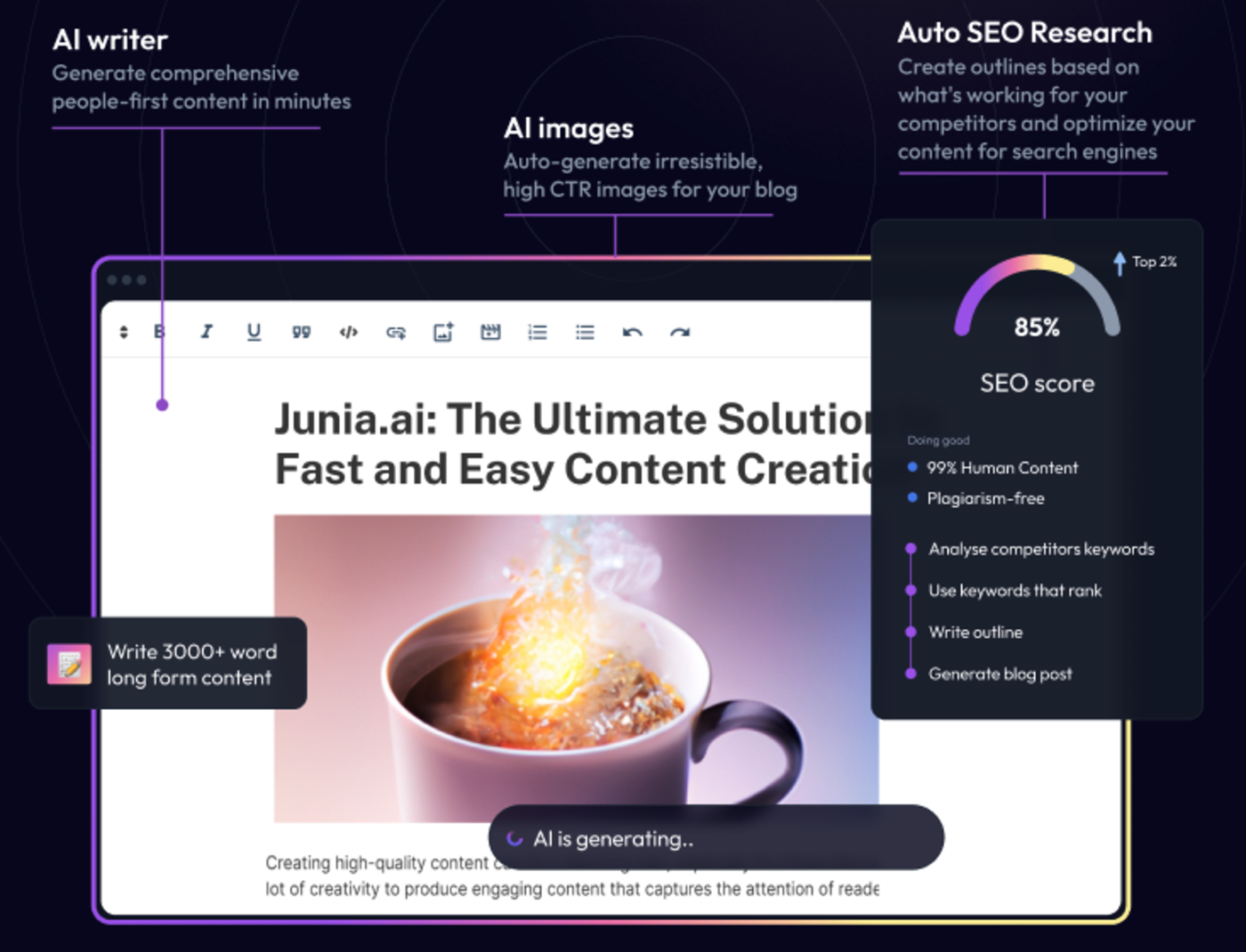
Junia AI is probably the best AI writing software for SEO right now. It’s kind of a game-changer for SEO content creation, since it uses advanced GPT4 technology to come up with high-quality and original content that actually feels readable for humans but is still really well search engine optimized at the same time.
GPT-4 Technology: Built for SEO-Rich Content Creation
At the center of Junia AI is its powerful GPT4 technology. This modern kind of artificial intelligence lets Junia AI create really high quality content that’s original and plagiarism-free. So with Junia AI, you don’t have to stress about duplicate content or getting Google penalties. Instead, you get a steady flow of fresh, interesting copy all the time.
Uncompromising on Quality
When it comes to content creation, quality is pretty much everything. Seriously, quality is king. Keeping this in mind, Junia AI makes sure every piece of content it generates is filled with useful and relevant details, and actually has real value, not just fluff. High-quality content is like a magnet for search engines, and Junia AI knows how to use this power really well, pulling in that attention in a smart way.
Built-in metadata generation
.webp?token=eyJhbGciOiJIUzI1NiIsInR5cCI6IkpXVCJ9.eyJ1cmwiOiJ1c2VyLWdlbmVyYXRlZC1pbWFnZXMvZjJmOThkNWUtNjNjNC00MTJiLTkyY2QtZjgyNDI5NTE3YWRkL3Nlby1tZXRhZGF0YSAoMykud2VicCIsImlhdCI6MTcwMjc2MDk4NSwiZXhwIjoyMDE4MTIwOTg1fQ.cOocEWwpCtVwDPYnE9b8YyOuC2Br4ho8S2MUUpchnk4)
On top of its really strong content generation, Junia AI also comes with a built-in metadata generation feature. So basically, your content isn’t just written in a way that works well for search engines, it also gets the right meta tags, titles, and descriptions. All of that helps boost how visible your pages are and can improve click-through rates in search engine results pages, which is kind of the whole point, honestly.
SEO Mode
Junia AI's SEO Mode kind of takes things a step further by giving you more tailored optimization suggestions that actually make sense. It looks at stuff like keyword density, meta tags, H1 tags, and a few other things too, so Junia AI can help you optimize your content for better search engine visibility and ranking. So instead of spending a ton of time doing a bunch of manual research and analysis yourself, this feature basically does it for you and saves you a lot of time and effort.
Long-form Writing Assistant
With Junia AI's long-form writing assistant, you can handle even really complex topics without feeling totally overwhelmed. Whether you're working on a blog post, an in-depth article, or an ebook, Junia AI will give you helpful insights, ideas for structure, and clear, cohesive paragraphs. It kind of guides you along so your readers stay interested and actually want to keep reading from start to finish.
Originality at Its Finest
In today's digital era, originality isn't just something people want, it's something they pretty much expect. Because of that, Junia AI really focuses on creating plagiarism-free content that helps you relax a bit, knowing it's unique, and also boosts your website's SEO ranking at the same time.
Consistency in Brand Voice
Keeping your brand voice consistent across all your different content is super important if you want a strong brand identity. Junia AI is really good at this part, it can pretty accurately copy your brand voice so everything feels the same to your audience. That kind of unified experience helps with SEO too, because it keeps your brand identity clear and stronger over time.
Additional Features: SERP Analyzer, Text Editor & Keyword Research
There are also some other pretty cool features, like the SERP Analyzer, which basically shows how your page is doing compared to other sites on the Search Engine Results Page (SERP). It kind of helps you see where you stand. The AI-powered text editor and the AI-powered keyword research feature work together to help you tweak and improve your content, figure out the most effective keywords, and keep refining everything so your content gets as close to perfect as possible, or at least really solid. Additionally, our SEO content brief generator can significantly boost your content strategy by providing keyword insights, competitor analysis, and optimized outlines.
Parasite SEO Integration: A Unique Feature of Junia AI
.png?token=eyJhbGciOiJIUzI1NiIsInR5cCI6IkpXVCJ9.eyJ1cmwiOiJ1c2VyLWdlbmVyYXRlZC1pbWFnZXMvZjJmOThkNWUtNjNjNC00MTJiLTkyY2QtZjgyNDI5NTE3YWRkL0dyb3VwIDM5MiAoMykucG5nIiwiaWF0IjoxNjk4MjYxMjU3LCJleHAiOjE4NTU5NDEyNTd9.sow1Uzy5QNC3komGIzvJmXHC-cWn-XS2zSh9SwHKRxQ)
When it comes to features that actually stand out, Junia AI really does its own thing with this special Parasite SEO integration. Unlike most other AI writers for SEO out there, Junia AI brings in this unique option that lets your content kind of borrow the high domain authority of big, well known websites. This can honestly be a game-changer for businesses that want better search engine visibility but don’t want to spend years slowly building up their own site’s domain authority. Instead of waiting forever, you can just tap into sites that already have it. Plus, it gives you simple one-click publishing to popular Parasite SEO websites, which is super convenient and, yeah, saves a lot of time.
Comparison with Other AI Writing Tools for SEO
When you look at AI writing software for SEO, Junia AI really kind of stands out from the competition. A lot of other tools either focus only on the super technical parts of SEO or just on pumping out content and that’s it. Junia AI does both. It finds this nice balance between the two. It understands that SEO needs a sort of scientific approach, with structure and all that, but actually writing content that people want to read needs creativity too. And that mix is what makes Junia AI different. It helps create content that’s not only interesting and engaging for real people, but also performs really well in search engine rankings.
How to Make the Most of Junia AI
If you want to really get the most out of Junia AI and, like, actually see good results, here are a few things you can try:
- Use it as your initial draft generator: Instead of stressing about a blank page, just let Junia AI do most of the heavy lifting for your first draft. You can always fix and tweak things after. It’s way easier than starting from nothing.
- Prioritize SEO optimization: After you’ve got your draft, then spend your time on SEO. Add the right keywords, clean up the structure, and follow SEO best practices so your content can actually rank and not just sit there.
- Experiment with different settings: Try out different tones, styles, or formats and just see what feels right for your audience. You might have to play around a bit, but that’s kind of the fun part honestly.
Junia AI is really helpful for businesses that need a lot of content but don’t have the time or people to write everything manually. It’s also super useful for anyone who just wants to quickly generate initial drafts or get ideas down for their writing without overthinking every single sentence at the start.
Advantages of Using Junia AI
Here are some of the main benefits of using Junia AI, kind of the big ones you’ll notice:
- A really comprehensive set of tools for content creation, so you can pretty much create all kinds of stuff in one place
- Advanced features for optimizing content for search engines, which is super helpful if you care about ranking and all that SEO stuff
- Real-time content generation with integration to Google Search, so it feels fast and up to date while you’re working
- Ability to develop a unique brand voice, so your content doesn’t sound the same as everyone else’s
- Exceptional AI-powered text editor that makes editing and tweaking your writing way easier
- One-Click Blog Post Generator when you just want to get a full post out quickly
- Grammar Checker to clean things up and catch the small mistakes you miss
Limitations of Junia AI
So, even though Junia AI has a lot of really helpful features, there are still a few things you should probably know about before you rely on it too much:
- There’s only limited availability of a free trial, which can kind of make it harder for some users to try it out properly
- The accuracy of foreign language support might not be perfect, so sometimes it may get things a little wrong
Future Development Plans for Junia AI
Junia AI is an evolving platform that keeps growing and changing over time. It continues to evolve based on user feedback and all the constant changes in SEO trends. Some of the future plans for Junia AI include:
- Expanding language support so it can reach and help a wider audience
- Introducing more advanced editing tools to make the content creation process smoother and honestly just easier to work with
- Further enhancing its AI technology to improve content quality and originality even more
Overall, Junia AI is an exceptional tool that helps optimize your content for search engines by meeting key criteria like quality, originality, and consistency in brand voice. When you start using this tool in your workflow, you can strengthen your online presence, build authority in your niche, and gain the trust of search engines over time.
2. Surfer SEO
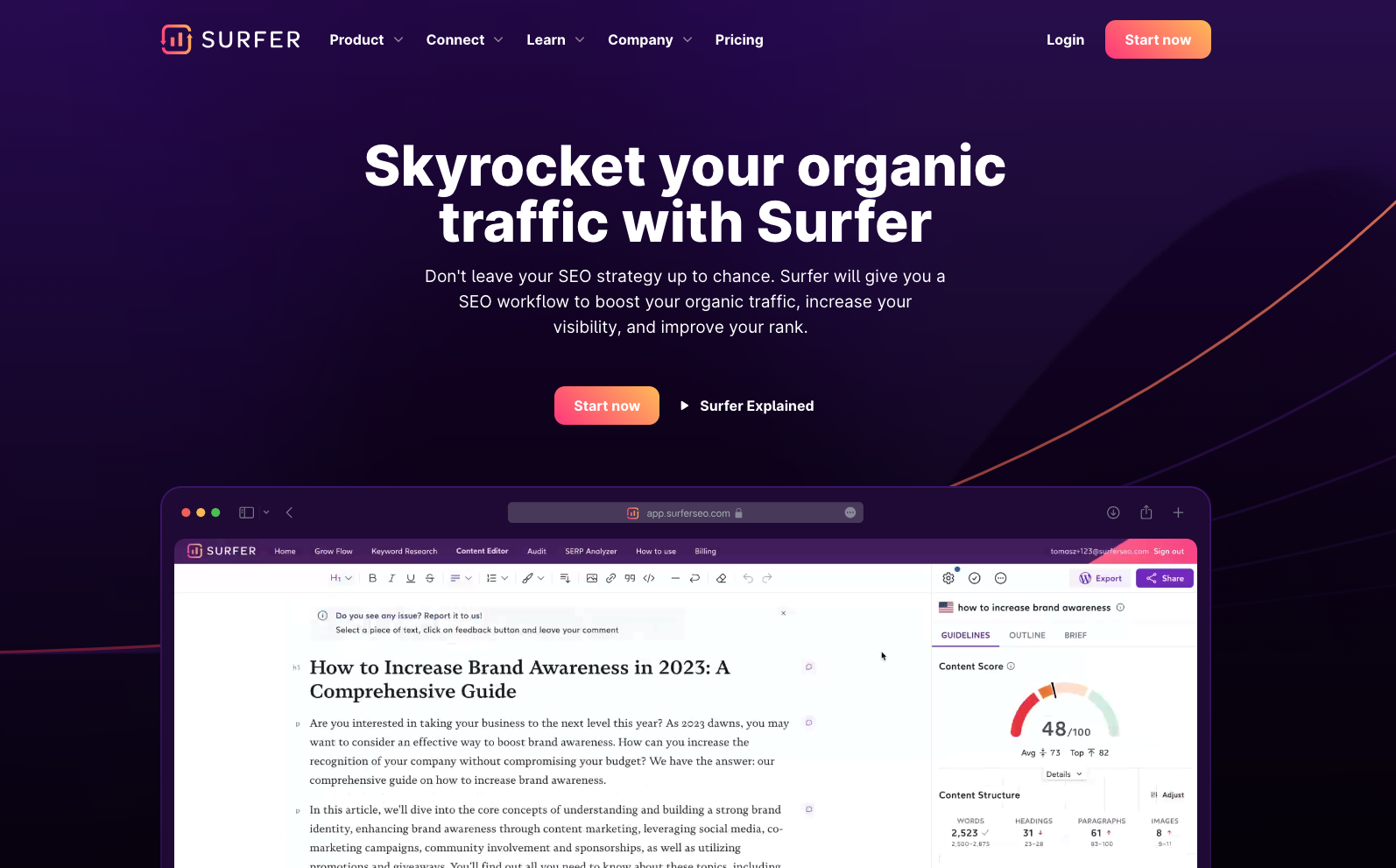
Surfer SEO is another really solid AI writing tool for SEO. Kind of a game-changer honestly. It gives you this cool feature for keyword research that’s based on what your most successful competitors are already doing. So instead of trying to invent something totally new, you’re basically studying what works for them, then using those same ideas and lessons to boost your own website’s SEO performance.
How Surfer SEO Works
Surfer SEO is not your average keyword research tool at all. Instead of just spitting out a big list of keywords to target, it kind of digs way deeper into the data and checks out what top ranking competitors are doing. Like, it studies their strategies and patterns. By doing this, Surfer SEO helps you create content that basically speaks the same language as success, if that makes sense.
Competitor Keyword Analysis
Surfer SEO looks at the keywords used by successful competitors and gives you insights into their strategies. So you can kind of see what’s actually working for them. With this information, you can find high performing keywords that you can use in your own content and, you know, hopefully get similar results.
Keyword Suggestions
On top of analyzing competitor keywords, Surfer SEO also suggests related keywords that can make your content more relevant and more visible. These suggestions are like a starting point for coming up with new ideas and expanding your keyword strategy. It’s sort of like a brainstorming buddy for SEO.
Content Optimization
Surfer SEO doesn't stop at keyword research. It also gives you recommendations for optimizing your content too. It checks things like word count, headings, and meta tags to make sure your content is following best practices for search engine rankings. So you’re not just guessing what to include, it kind of guides you along the way.
Pros:
- Lets you see what kind of strategies your successful competitors are using and kinda learn from them
- Makes it easier to spot high-performing keywords that are actually working
- Gives you ideas and suggestions for other related keywords you might want to try
- Shares recommendations on how you can improve and optimize your content better
Cons:
- The customization options for the content it generates are kinda limited, so you can’t really tweak things as much as you might want
Pricing
When it comes to pricing, Surfer SEO has a few different plans so it can kinda fit different people and their goals. The basic plan starts at $59 per month and gives you access to the main, essential features you actually need to get going. If you go for the more advanced plans, you get extra stuff like content editors and priority support, which is pretty nice if you’re working on a lot of content.
From my own experience using Surfer SEO, I’ve found it to be a really helpful tool for keyword research. Like, seriously helpful. Being able to see what successful competitors are doing and then using their keywords in my own content has made a big difference in my SEO performance. It’s kind of like getting a peek at the answers. On top of that, the insights that Surfer SEO gives you have saved me a lot of time and effort, since it basically points me in the right direction for using keywords in a smarter way.
Overall, Surfer SEO is a pretty valuable resource for anyone who wants to improve their SEO game. It lets you see behind the scenes of what actually works so you don’t have to waste a ton of time on trial and error. You can start seeing results faster instead of guessing all the time. So yeah, don’t miss out on the chance to learn from your competitors and push your SEO strategy to the next level.
3. Frase
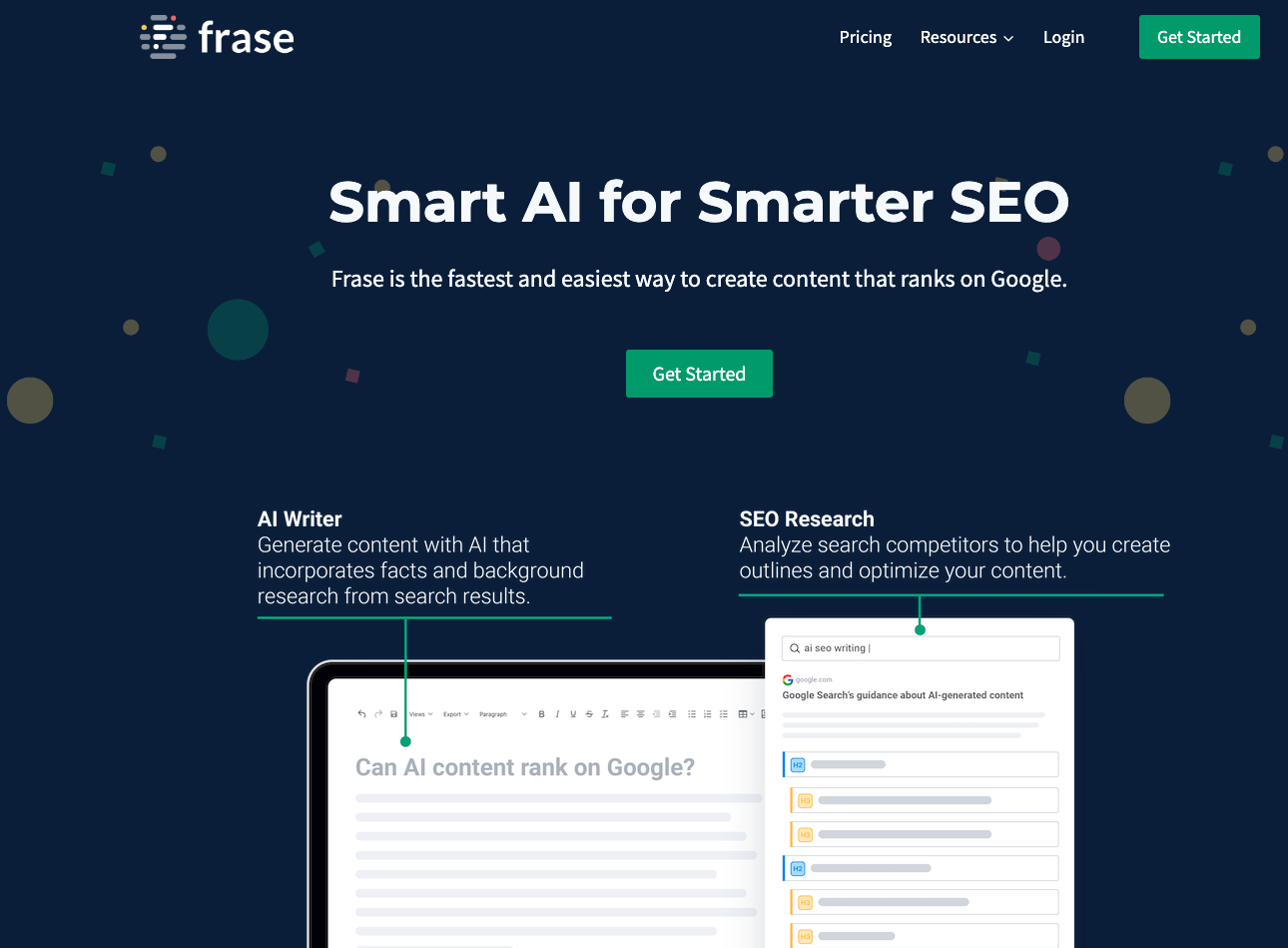
Frase is an AI-powered writing software that’s built mainly for SEO stuff. It comes with a bunch of advanced features that can really help out your content marketing strategy, like a lot actually, especially if you’re trying to rank better and write smarter at the same time.
Overview
Frase is basically a really powerful tool that uses artificial intelligence to help you create high-quality content that’s already set up to work well with search engines. It sort of guides you along and gives you useful insights and suggestions so you can improve your SEO efforts and, you know, get better results over time.
Features
Frase comes with a bunch of features that can really help with your SEO strategy, and honestly make things a lot easier:
- Content Briefs: Frase creates detailed content briefs that show you the main topics and subtopics you should talk about in your article. These briefs are made from in-depth analysis of top-ranking pages, so you get a solid starting point for writing content that’s both comprehensive and actually relevant.
- Topic Research: With Frase, you can quickly find relevant topics and subtopics to add to your content. It looks at search engine results and picks out common themes and questions related to your target keyword, so you can make content that really matches what users are actually looking for.
- Content Optimization: Frase helps you optimize your content by suggesting relevant keywords based on top-performing pages. It also gives tips on word count, headings, and other important on-page SEO elements, so you have a better chance of ranking higher in search results.
- Content Expansion: This feature helps you spot gaps in your existing content and shows you where you can improve or expand things. By using Frase's insights, you can make sure your content covers all the important parts of a topic, so it feels more complete and more valuable for readers.
- Competitor Analysis: Frase lets you check out the content strategies your competitors are using. You can see their top-performing pages, what keywords they’re targeting, and how their articles are structured. Having this info helps you stay competitive and find new opportunities to improve your own content.
Pros
- Frase's advanced AI capabilities can give you really helpful insights and recommendations for optimizing your content, kind of like having a smart assistant looking over your work.
- The content briefs generated by Frase usually give you a pretty detailed and comprehensive outline, so it’s easier to create well-structured articles without feeling totally lost.
- Frase's competitor analysis feature lets you keep an eye on what others are doing, so you can stay ahead of the competition and adjust your content strategy when you need to.
Cons
- Frase might have a bit of a learning curve, especially if you’re not really used to AI-powered writing tools yet, so it could take some time to get comfortable with it.
- The pricing plans for Frase may be a little on the higher side compared to some other SEO writing tools on the market, which might be a drawback if you’re on a tight budget.
Personal Experience
From my own time using Frase, I’ve honestly found it super helpful for improving my SEO-focused content. When I’m stuck or not sure what to include, the content briefs from Frase kind of guide me and help me put together more complete articles that actually cover all the important parts of a topic. The keyword suggestions and optimization recommendations have also made a big difference and, like, really helped boost my search engine rankings over time.
Overall, Frase is a pretty valuable tool for anyone trying to level up their SEO strategy. It has these advanced features powered by AI technology that give you useful insights and recommendations so you can optimize your content better. There is a bit of a learning curve at first, and it might feel a little confusing, but honestly the benefits of using Frase end up being way more important than those early challenges.
4. CopySmith
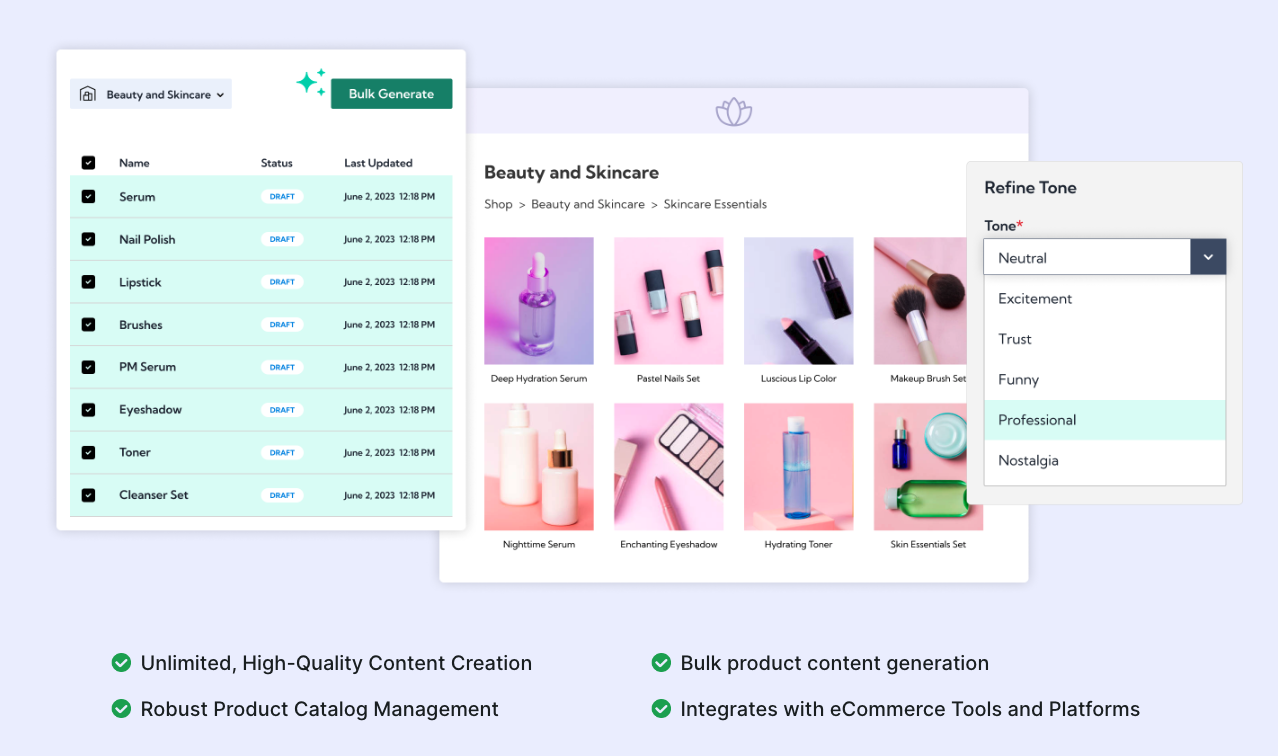
CopySmith is an AI-powered writing tool that’s mainly built to help with SEO. It focuses a lot on that. It comes with a bunch of features that can really help your content marketing strategy, especially if you’re trying to grow faster and keep things organized.
Blog Topics & Frameworks: Break Through Creative Blockades
With CopySmith, you can honestly say goodbye to creative slumps! This tool is kind of like having a smart friend who keeps tossing you ideas when your brain just freezes. It’s really good at coming up with unique blog topics and strong, clear frameworks. Using its advanced AI stuff, CopySmith figures out what kind of content you need and then suggests fresh, engaging blog topics that actually connect with your audience.
Note: When you're stuck for ideas, or you’re not really sure how to structure your blog post at all, just turn to CopySmith. Its intuitive "Blog Topics & Frameworks" feature basically gives you an instant roadmap, guiding you step by step toward compelling content creation.
SEO Meta Summaries: Propel Your Content to the Top
Getting a good SEO ranking doesn’t have to feel scary or super confusing anymore with CopySmith's SEO Meta Summaries feature. It basically helps you make short, keyword-rich meta summaries so your blog posts can rank higher on search engines and, you know, actually get seen.
- It makes sure every meta summary matches your content theme really well, kind of like a quick snapshot that grabs people’s attention while also pulling in search engine crawlers.
- These custom meta summaries don’t just bring in more organic traffic, they also help improve click-through rates and in the end they boost your site’s visibility on the web.
Bulk Content Creation
CopySmith's bulk content creation feature is kind of a game-changer for businesses that want to really scale their content marketing. Like, instead of sitting there trying to think of topics forever, you just click a few times and boom, you get a bunch of blog post ideas and outlines. It can honestly save you hours of brainstorming and planning, which is pretty nice.
The tool's AI-powered algorithms look at your niche, industry trends, and your target audience, and then it gives you super relevant content suggestions. So yeah, whether you want to create a whole series of articles or just fill up your content calendar for the month, CopySmith has got you covered and makes it way easier.
Pros:
- Gives you fresh and kind of unique blog topics, plus solid frameworks that really help you get past creative slumps when you’re feeling stuck.
- Makes short, clear, keyword-rich meta summaries that can seriously help boost SEO rankings.
- Does a nice job balancing creativity with technical skill, so you end up with pretty high-quality content creation overall.
Cons:
- Might take a bit of time to really understand everything and fully use all the features. It’s not super hard, but yeah, you’ll probably need a little patience at first.
- The content produced by CopySmith often needs more fact-checking compared to some other AI writing tools. It’s not exactly a deal-breaker or anything, but it does mean you’ll have to spend a bit of extra time double-checking things to make sure everything’s accurate.
Pricing options
So, when it comes to pricing, CopySmith gives you a few different plans to pick from, depending on what you actually need:
- Starter Plan ($20 per month): You get 50 generations and 25 plagiarism checks. Pretty simple and good if you’re just testing things out.
- Professional Plan ($50 per month): This one gives you unlimited generations and plagiarism checks, so you don’t really have to worry about running out.
- Business Plan ($120 per month): Made more for businesses and agencies, and it includes all the features with no real limitations at all.
Who can benefit from using CopySmith?
CopySmith is great for pretty much anyone who needs to put together articles fast, but still cares about keeping good SEO performance. It’s especially helpful for digital marketers, bloggers, and business owners who are working on their own website content and kinda juggling a lot at once.
My personal experience with CopySmith
So, from my own experience using CopySmith, I’d say it’s been mostly pretty good, especially when I was kind of rushing and up against the clock. The content it creates is usually engaging and it’s clearly well-optimized for keywords, which is nice. I did end up spending some time fact-checking things though, just to make sure everything was actually correct.
Overall, I think CopySmith really has the potential to be a solid part of your SEO toolkit. It’s fast, it works well, and it’s built specifically with SEO in mind. Just, you know, make sure you double-check your facts before you hit publish, and you should be totally fine.
5. SEMrush Writing Assistant
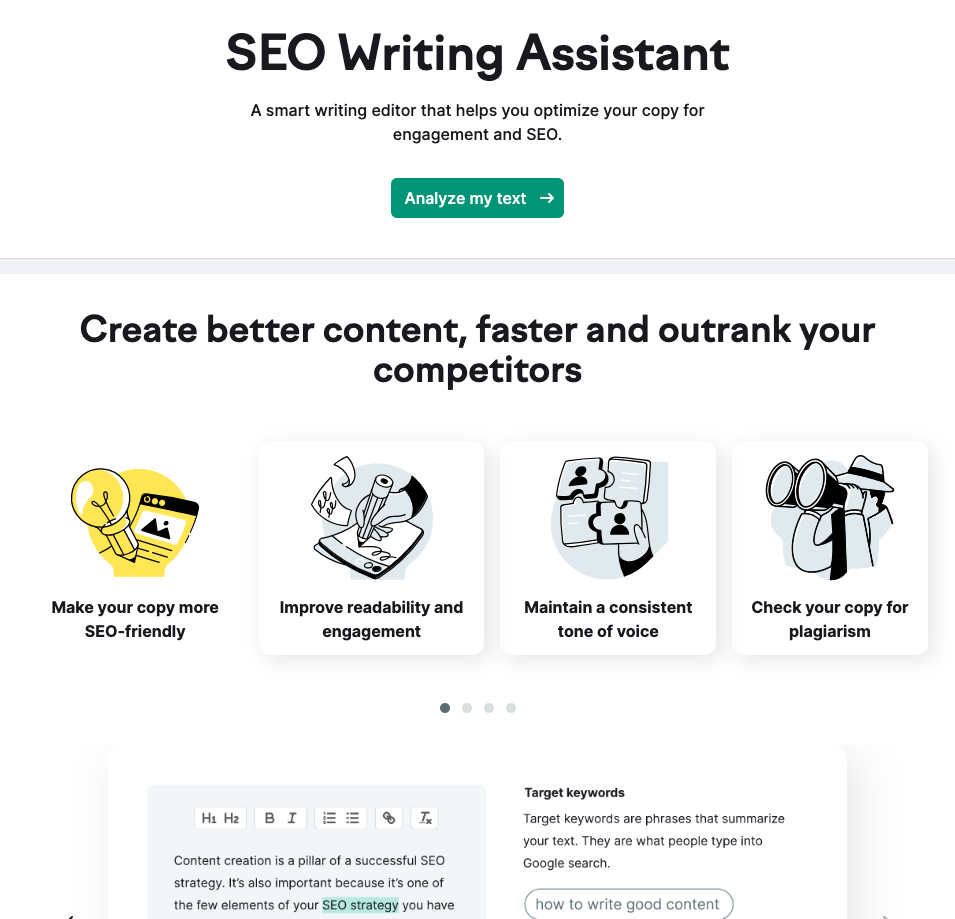
SEMrush Writing Assistant is another AI writer specialized for SEO that really kind of stands out from the rest. It’s made to help you with search optimization while you write, not after. This tool gives you instant guidance and real-time suggestions, almost like having an experienced SEO expert sitting next to you and watching your content as you type.
The main strength of SEMrush is how it can give you real-time guidance for content optimization. You see the suggestions as you go, which feels super helpful and a bit addictive actually. This feature can be a real game-changer for a few reasons:
Pros:
- It gives you instant SEO recommendations based on your targeted keywords, so you can quickly see how well your content is optimized before you hit publish.
- The tool looks through your text for any SEO issues and then suggests quick fixes right away.
- It checks the readability of your content, making sure it’s easy to read and simple enough for your audience to understand.
- SEMrush also looks at your text for tone consistency, so your brand voice stays the same all through your content, which is kind of important.
With SEMrush Writing Assistant, you can:
- Optimize your content on-the-go, like while you’re actually writing
- Make sure every word you write feels more impactful, not just filler
- Stay aligned with SEO best practices without constantly double checking everything yourself
For example, you might be wondering why using appropriate keywords is so important, or why keyword stuffing is something you really should avoid. SEMrush gives you clear answers to that stuff, in a pretty straightforward way:
Cons:
- Limited customization options for generated content.
With SEMrush Writing Assistant, you get:
- Clear explanations behind each recommendation
- Insights into how each practice enhances search engine rankings
- A better understanding of SEO best practices
From my own experience using SEMrush Writing Assistant, it’s honestly been super helpful for real-time SEO guidance while I’m writing. The instant recommendations pop up as I type, so I can tweak things on the spot and make sure I’m actually following SEO best practices, not just guessing.
With SEMrush Writing Assistant, you’re not only able to optimize your content in a really effective way, but you also end up learning a lot about SEO intricacies without even trying that hard.
So yeah, in essence, SEMrush Writing Assistant feels like an all-in-one AI-based SEO writing companion. Its real-time guidance and strong focus on SEO best practices make it a kind of must-have tool for anyone who’s serious about improving their website's ranking.
6. WriteSonic
So yeah, let’s take a closer look at WriteSonic, which is kind of a big name in AI-powered content creation. The main idea behind it is pretty simple. It’s built to help you make high-quality content that actually catches people’s attention and keeps them reading, while still sticking to those important search engine guidelines and rules and all that stuff.
The Power Behind WriteSonic
So, how does WriteSonic actually do all this? Well, the real power is in its AI engine, which basically makes content creation way easier. This engine has been trained on tons of different writing styles, topics, and industries, so it can come up with really solid content that fits your specific field or niche.
With WriteSonic on your side, you can finally stop just staring at a blank page and stressing over what to write. By using the power of AI, you can quickly create articles, product descriptions, ad copies, and a lot more stuff like that. And on top of that, every piece of content it makes is carefully put together to be SEO-friendly and actually connect with your target audience.
Pros:
- WriteSonic's powerful AI engine really helps make content creation a lot easier and more simple to deal with.
- The tool is trained on a bunch of different writing styles, topics, and industries, so it can create customized content for pretty much any niche you want.
- With WriteSonic, you can quickly turn out different kinds of content like articles, product descriptions, and ad copies, without spending forever on it.
- All the content that WriteSonic generates is meant to be SEO-friendly and still really engaging for whatever audience you’re trying to reach.
- WriteSonic also works smoothly with Surfer SEO, which is another popular tool in this space. This integration gives users extra insights and ideas for improving and optimizing their content.
Cons:
- While WriteSonic is really helpful for making SEO-optimized content, it still kind of depends a lot on what the user puts in. It needs your input to really understand what the target audience wants and likes.
- You have to keep in mind that WriteSonic is just a tool, not a full replacement for real human creativity and insight. It can help, but it can’t fully think like you.
- The text editor in WriteSonic might not have as many advanced editing features as some other platforms like Junia.AI. Because of that, post-editing can feel a bit harder and not as flexible as you might want.
- The content that WriteSonic creates might sometimes miss that personal touch and creativity you usually get from human writing. So yeah, even though AI can help with content creation, it’s still really important to review everything and add your own voice to the final piece.
- Even though WriteSonic uses algorithms and data to generate content, it’s still a good idea to double-check facts to make sure they’re accurate. AI can mess up sometimes or use information that’s outdated.
A Word of Caution
Still, try not to let these advantages make you too relaxed or, like, overconfident. Remember, even though tools like WriteSonic are super helpful for creating SEO-optimized content, they’re not some kind of magic fix. If you really want to understand what your target audience wants, you still have to guide the AI yourself. Make sure it creates content that not only ranks well on search engines, but also actually gives real value to your readers, you know, something they can use and trust.
Recommendations for Getting Started with WriteSonic
If you're interested in trying out WriteSonic, here are a few tips for getting started, just to kinda help you ease into it:
- Explore the platform: Spend a bit of time clicking around and getting used to the interface and all the different features before you start pumping out content. Once you know where things are and what they do, it’s a lot easier to really use what WriteSonic can actually offer you.
- Make use of templates: Try using the different templates for different types of content. There’s a pretty big range, and they can be a nice starting point when you’re not sure what to write. It saves you from staring at a blank screen forever, and yeah, cuts down the time you’d spend brainstorming ideas from scratch.
- Double-check facts: Even though WriteSonic uses AI to generate content, you should still take a moment to verify important facts on your own. Just look them up quickly. This helps keep your final piece accurate and more trustworthy, which honestly matters a lot.
- Plagiarism checker: Before you publish anything that WriteSonic creates, you really should run it through a reliable plagiarism checker. The AI tries to make original content, but sometimes a phrase or a sentence might end up sounding a lot like something that already exists. Using a plagiarism checker helps make sure your content is actually unique and doesn’t break any copyright laws or get you into trouble later.
Is WriteSonic Right for You?
WriteSonic is a pretty good choice for people or businesses who really care about things like:
- Quick content creation, when you just need stuff written fast
- Minimal effort in generating initial drafts, so you don’t have to start from a blank page
However, if you actually value things like:
- Fine-grained control over editing and tweaking every little detail
- Uniqueness and creativity in your writing, where it really sounds like you
you might end up feeling that other platforms or even just manual writing methods are more suitable for what you want.
Personal Experience:
So, from using WriteSonic myself, I’ve found it’s actually super helpful for quickly turning out really solid content. The AI engine gives you a strong starting point for making SEO-friendly articles and other kinds of content too.
But, yeah, I also noticed you really have to guide the AI a bit so the content doesn’t just rank well on search engines, but also actually makes sense and connects with real people reading it.
When I mix what WriteSonic can do with my own experience and what I know about the target audience, I’ve been able to create content that feels more powerful and engaging, the kind that kind of hits home with both search engines and readers.
Overall, WriteSonic is a great tool for creating strong, SEO-friendly content pretty fast. Still, the real magic kinda shows up when you combine this tech with your own deep understanding of your audience and your industry.
7. Jasper AI
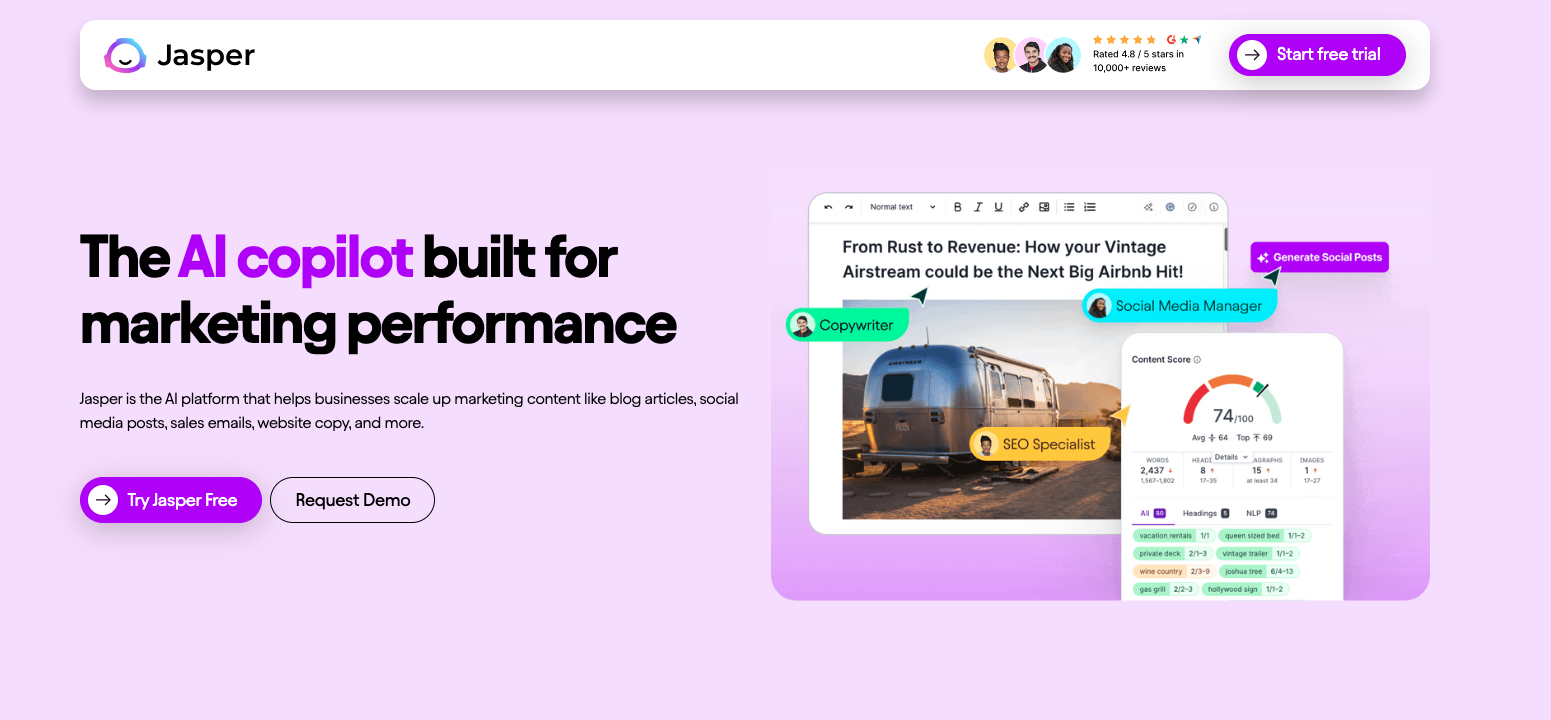
Jasper AI is one of the top AI-powered SEO content writing tools on our list. Like seriously, you can say goodbye to staring at empty pages and having writer's block all the time, because Jasper AI is there to give you a hand. It’s built to create interesting, SEO-optimized content that actually grabs your audience’s attention and also keeps the search engines pretty happy too.
Diverse Content Creation Capability
Whether you need blog posts, social media captions, product descriptions, or email campaigns, Jasper AI pretty much has your back. And it’s not just about pumping out content for the sake of it, you know? It’s really about making quality content that actually connects with your target audience and also helps you get really good SEO results.
Key Features:
- Short-Form Assistant: This feature is kind of a game-changer for making quick, simple content. Like if you need an eye-catching headline or a strong call-to-action but don’t want to write a whole paragraph, the Short-Form Assistant gives you quality content that gets straight to the point in just a few words.
- Template Library: Having trouble starting from nothing? Yeah, that happens. The Template Library helps you out with hundreds of ready-to-use templates for pretty much every industry and type of content. You just pick one that works for what you’re doing and let Jasper handle the rest.
- Surfer SEO Integration: This feature lets you create optimized SEO articles right inside the tool, so you don’t have to jump between different platforms all the time.
- Team collaboration: Need help from your team members or just want to bounce ideas around? Jasper AI makes collaboration easy, so you can work together, share stuff and brainstorm without a lot of hassle.
- Auto-Save: You don’t really have to stress about losing your work. Jasper AI auto-saves your progress, so even if something crashes or you close the tab by accident, your valuable content is still there.
- Plagiarism Checker: Quality and originality really matter in content creation. Jasper AI has a built-in plagiarism checker so you can make sure your content is unique and not copied from somewhere else.
- Content Scheduler: With this feature, you can plan and schedule your content ahead of time. It makes it a lot easier to manage your content calendar and stay kind of organized, even if you’re busy.
- Keyword Suggestions: Finding the right keywords is super important for SEO success. Jasper AI gives you smart keyword suggestions to help you optimize your content and improve how it shows up in search engine results.
- Grammar and Style Guide: Good grammar and a consistent style are important if you want your content to look professional. Jasper AI includes a grammar and style guide to help you keep your writing at a high standard, or at least close.
- Performance Analytics: Want to see how your content is actually doing? Jasper AI gives you detailed analytics on your content performance, so you can make data-driven choices and tweak your content strategy.
But that’s not everything. Jasper AI also has things like language tone control and multi-language support, so it can adjust to a bunch of different writing needs pretty easily. You can set your content tone to be casual or formal, or somewhere in between, depending on what your audience likes.
Pros:
- Comprehensive feature set for all kinds of different writing needs
- Really good flexibility with tone control and multilingual support
- Saves time with its ready-to-use template library
Cons:
- Might take a little time to get used to all the features at first
- The quality of output can sometimes depend on how clear and specific your instructions are
With Jasper AI, you’re not just writing; you’re creating engaging, kind of captivating stories that pull readers in, keep them interested, and can even convert them into customers. Use this tool to boost your SEO content capabilities. Honestly, your content deserves the best you can give it.
8. ChatGPT
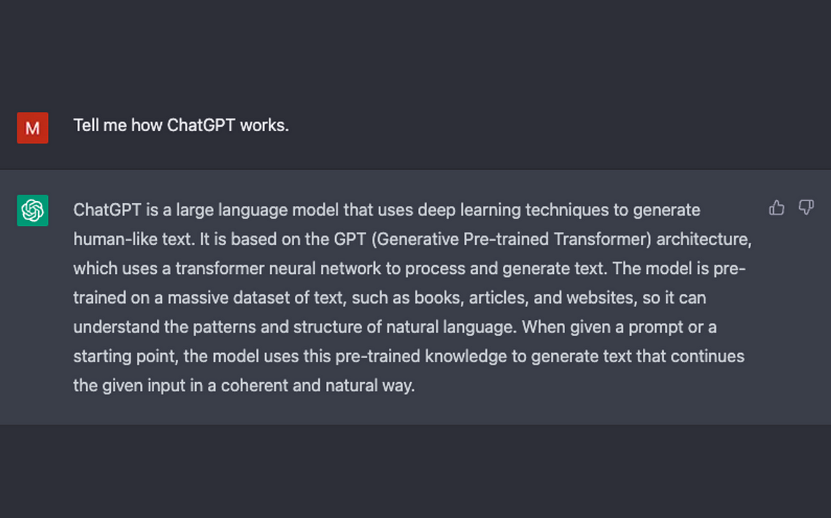
ChatGPT is an artificial intelligence tool made for AI-based SEO writing, and honestly it’s pretty flexible. It kind of feels like you’re talking to a real person because it understands normal language and can sort of copy human conversation. So yeah, it’s really good for creating engaging content, blog stuff, and just, like, helping you write things that actually sound human.
Features of ChatGPT
Text Creation Like a Human
This standout feature lets ChatGPT create text that feels kind of like real human conversation, using these pretty advanced machine learning rules. It’s almost like having your own team of creative writers sitting there, ready to help you make interesting interactions whenever you need them.
Adaptable Writing Styles
Whether you’re looking for something more formal and informational, or you just want a relaxed, friendly, conversational tone, ChatGPT can switch pretty easily. This adaptability makes it a really unique tool for shaping content based on what your audience actually likes and responds to.
Interactive Writing
Interaction is really important in AI-based SEO writing. When you create interesting dialogues with ChatGPT, it can seriously help increase user involvement rates and how long people stay on your website, which is kind of a big deal.
Pros of Using ChatGPT for SEO Writing
- Involvement Booster: The text like a human made by ChatGPT really helps increase audience involvement. It can change boring, dull paragraphs into more exciting chats that people actually want to read. Sometimes it almost feels like you’re talking to someone, so readers find it hard to ignore.
- SEO Plus Points: Google appreciates content that improves user experience and provides worth. So when you include engaging dialogues and interactions using ChatGPT, it can help increase time spent on your page and reduce bounce rate. That kind of thing tells search engines that your content deserves top spots.
- Time Saver: Manual content creation takes a lot of time, and honestly it can get tiring. ChatGPT speeds up the process by making high-quality text quickly and effectively, so you can focus on other stuff too.
Cons of Using ChatGPT for SEO Writing
- Limitations in Context Understanding: ChatGPT, like other AI tools, can sometimes kinda miss the full context or the real intent behind certain prompts. So you might get responses that feel a bit off, not fully accurate or not really as relevant as you wanted.
- Dependency on Pre-trained Data: The quality of text you get from ChatGPT mostly depends on the data it was trained on before. And yeah, sometimes that means it might create content that ends up biased or just not totally accurate, which can be a problem.
- Limited Post Editing, but You Can Regenerate the Output: Unlike some other AI writing tools for SEO, ChatGPT doesn’t really have a lot of built-in post-editing features. But you can still regenerate the output by giving it more detailed prompts or tweaking your instructions. This way, you can keep adjusting and fine-tuning the content until it hits the standards you’re going for.
Comparative Analysis with Other AI Writing Tools for SEO
When you compare it to other AI writing tools for SEO, like Junia AI, CopySmith, Surfer SEO, and SEMrush Writing Assistant, ChatGPT really kind of stands out as this very flexible and pretty interactive option. It’s not totally perfect of course, it can still have some limitations with context understanding and sometimes you need to do a bit of post-editing afterward. But its ability to generate text like a human, and sort of switch and adapt to different writing styles, really sets it apart from the competition.
Recommendations on Using ChatGPT
If you want to really get the most out of ChatGPT, here’s a few things that usually help a lot:
- Try to clearly define your instructions and give as much specific context as you can when using ChatGPT. The more it knows, the better it usually does.
- Don’t just ask once and leave. Take advantage of its interactivity by going back and forth, like a real conversation with the model.
- Always review and fact-check the generated content for accuracy, even if it sounds super confident. Sometimes it messes up.
- Experiment with different prompts and instruction styles to get the kind of answers you actually want. It might take a few tries to find what works best.
Personal Experience with ChatGPT
So I’ve personally used ChatGPT for my SEO writing projects, and honestly, it’s been a pretty useful tool for me. It helped me put together engaging dialogues and more interactive content that kind of kept readers interested and sticking around longer, which also improved user involvement on my website.
The adaptability of ChatGPT was something that really stood out. It could change writing styles based on who the audience was, or at least pretty close, and that was actually really impressive.
That said, there were a few times where ChatGPT didn’t totally get the full context of some prompts. In those cases, the responses weren’t as accurate or as on point as I wanted, so I had to go back and fix things a bit.
Overall though, ChatGPT turned out to be a big time-saving solution for generating high-quality text that still feels like it has a bit of a human touch to it.
9. Outranking
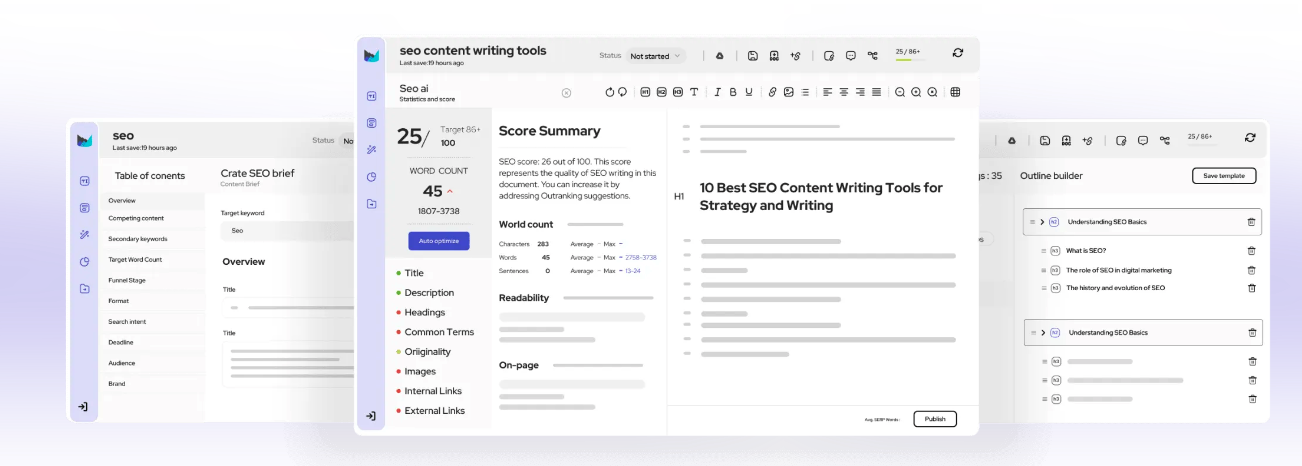
Outranking is another one of the top-notch AI writing tools for SEO from our list, and yeah it’s pretty solid. So, let’s just slow down for a second and take a closer look at what it actually does, its main features and the benefits you get from using it.
Pros:
- Optimized SEO articles: Outranking is really good at making SEO-friendly articles that fit what you need. The interface is pretty simple to use, so the whole content creation process feels kind of easy and not super complicated.
- AI assistance: With Outranking, you can create content really fast and pretty efficiently, since it uses AI-powered assistance to help you out along the way.
- High-quality content: The tool is built to help you make high-quality content that keeps both readers and search engines happy, which is honestly kind of hard to do sometimes.
Cons:
- More manual input: Compared to some other SEO-focused AI writing tools, Outranking might need a bit more hands-on work from you. You’ll probably have to do more manual tweaking when you’re fine-tuning your content, which can feel a little time consuming sometimes.
- Potentially higher cost: While Outranking offers some really impressive features, it might not be the most budget friendly choice. For smaller businesses or freelancers with limited budgets, it may not feel as cost-effective as some other options.
Tips for Optimal Use:
If you really wanna get the most out of Outranking, here are a few tips I’d honestly follow:
- Use the tool’s detailed guidance to help you create SEO-friendly content. It gives you a lot to work with, so don’t ignore it.
- While you’re writing blog posts or website copy, try to actually pay attention to the prompts it gives you. They’re there for a reason, even if they feel a bit much sometimes.
- Make sure your text meets all the important requirements that search engine algorithms want. It’s kinda annoying, but it really helps your content show up better.
Target Audience:
Outranking is best suited for a few main groups of people, like:
- Medium to large businesses that want a faster and easier way to scale up their content production, especially when they’re trying to grow and keep things organized at the same time.
- SEO agencies that need to put out a lot of high-quality content really quickly, usually while working with tight deadlines and kinda stressful schedules.
Personal Experience:
So from my own experience using it, Outranking really does what it says. The content it creates actually turns out pretty solid. The articles it generated for me were engaging, easy to follow, and had a lot of relevant keywords in there. It felt organized but not boring, if that makes sense.
But still, it's important to remember, at the end of the day, it's just a tool. You can’t just copy and paste and walk away. You still have to go in, add your own style, fix little things, and make sure it really sounds like your brand and not some random generic content.
So yeah, if you're looking for an AI writing tool that’s easy to use and also has strong SEO features, Outranking could honestly be a great fit for you.
10. Notion AI
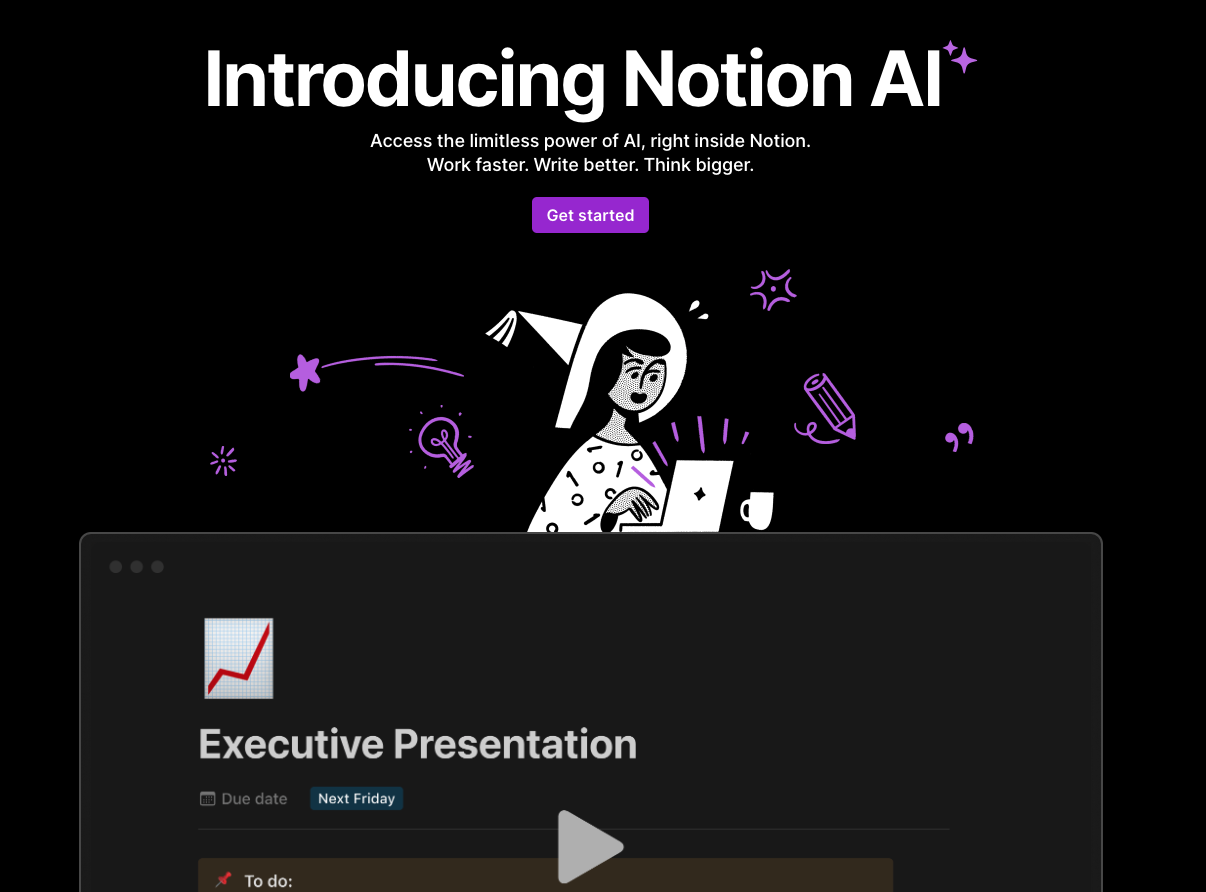
Notion AI is a SEO writing assistant that’s actually super easy to use. The interface is really simple and clean, nothing too confusing, and it still has a bunch of advanced features packed in. People who are just starting out like it a lot, and more experienced professionals also talk pretty highly about it, which is kinda rare. So yeah, it works well for both beginners and pros at the same time.
Continue Writing: Uninterrupted Flow of Ideas
One of the coolest features in Notion AI is the 'Continue Writing' feature. It really comes in clutch when you’re in the middle of a thought and your brain just kind of stalls and you’re like, “okay... now what?” Instead of staring at the screen forever, you just hit the 'Continue Writing' button and that’s it. The assistant keeps going from where you stopped, filling in your ideas with really clear wording and a bit of style too. It feels almost like it knows what you were trying to say the whole time.
Command AI to Write: Your Personal Scribe
Another pretty cool feature of Notion AI is the whole 'Command AI to write' thing. With this feature, you’re basically in control of what it creates. You just tell the AI what you want to write about, and it will spit out text that follows your instructions. It honestly feels kind of like having your own personal scribe just sitting there, waiting for you to tell it what to do.
Here’s how it works:
- Start by typing a command such as "Write a blog post about AI writing tools for SEO". Just type that in like you’re talking to it.
- The AI then generates a complete draft based on your command. It does the heavy lifting for you.
- You can tweak or edit the text as much as you want until you’re happy with the final content. Change things, rewrite parts, whatever feels right.
Adaptability Meets Quality Content
The cool thing about Notion AI isn’t just that it can crank out quality content really fast, but how flexible it is. Like, whether you’re trying to write an informative blog post or come up with catchy social media content, Notion AI has pretty much got your back.
Using Notion AI is kind of like having an experienced writer sitting next to you, walking you through each step of creating compelling and optimized content. The interface is easy to use, and when you mix that with its advanced features, it turns into a really solid tool for anyone who wants to level up their SEO writing skills.
Pros:
- Intuitive interface
- Advanced features
- 'Continue Writing' feature for uninterrupted flow of ideas
- 'Command AI to write' feature for personalized content generation
- Adaptability for various types of content creation
Cons:
- May require some tweaking or editing to achieve desired results
- Limited customization options for generated content
Personal Experience
So, as an advanced content editor, I’ve actually used Notion AI a lot, like pretty heavily. The "Continue Writing" feature has honestly been kind of a game-changer for me. It helps me get past those annoying writer's block moments and keeps my ideas moving in a smoother flow, or at least smoother than before. Sometimes I just get stuck mid-sentence, you know, and it sort of nudges me forward.
Being able to tell the AI to write specific content has also saved me a good amount of time and effort when I’m putting together drafts. I just type what I need, and it jumps in. Overall, Notion AI has felt like a pretty reliable and user-friendly tool for me, and it usually gives me solid quality content, like consistently.
How to Choose the Right AI Writing Tool For SEO for You
Choosing an AI writing tool for SEO can feel kind of overwhelming. There are just so many tools out there, and they all sound pretty good at first. So it's really important to slow down a bit and think about a few key things before you pick one. Here are some simple criteria to help you figure out which SEO AI writing tool actually fits what you need:
1. Accuracy and Quality
When you’re picking an AI writing tool, probably the biggest thing to think about is its accuracy and quality. You really want a tool that can create high-quality content that’s engaging and also, you know, actually grammatically correct. No AI can write exactly like a human, not perfectly anyway, but a lot of tools out there come pretty close. Try to look for a tool that already has a solid track record and is known for producing well-written content.
2. Flexibility and Customization
Another really important thing to think about is how much flexibility and customization the AI writing tool actually gives you. Being able to customize the generated content so it fits your specific needs is super crucial. Like, you might want to adjust the tone of voice, make the sentences longer or shorter, or even change how complex the vocabulary is. When you have control over stuff like that, it helps make sure your content actually connects and resonates with your target audience.
3. SEO Optimization Features
In today's digital world, having SEO-friendly content is actually super important if you want to do well online. So yeah, you really need to pick an AI writing tool that has strong SEO optimization features. This usually means stuff like keyword suggestions, meta tags generation, and readability analysis. When you use a good tool, it helps you organize and structure your content so that search engines like it, but also real people enjoy reading it too.
4. Personal Use and Effectiveness
Reading reviews and asking for recommendations can totally help, but honestly, nothing is better than just trying the tools yourself. Take a bit of time to test different AI writers for SEO and see which one actually feels easy and natural for you to use, and also gives you the kind of results you want. Just remember, what works really well for someone else might not work the same for you.
5. Speed and Features
When it comes to creating content efficiently, speed really matters a lot. You want an AI writing tool that can put out content pretty fast, but still keep the quality high, not just rushed or sloppy. Also, it helps to look for extra features, like keyword research capabilities, since those can give you useful insight into what your target audience is actually searching for online. This kind of stuff can make a big difference over time.
6. Post-Editing and SEO Optimization
After content creation, you might still need to go back and make some extra tweaks or little changes. So yeah, it's really important to pick an AI writing tool that lets you do post-editing and more SEO optimization. That way, you can fine-tune your content, fix what feels off, and make sure it actually matches your standards and fits your SEO strategy.
By keeping these things in mind when choosing an AI writing tool, you can find the tool that really fits your needs and helps you create high-quality, SEO-friendly content. Basically, it just makes the whole process easier and more effective for you.
Tips for Creating Optimized Content Using AI-based SEO Writing Tools
If you really want to step up your SEO game, here are some pretty simple tips for creating optimized content using different AI-powered SEO writing tools. With these ideas, you can actually use the full power of each tool and make content that not only pulls in your audience, but also gets noticed by search engines too.
1. Leverage Each Tool's Unique Strengths
Kind of like how a really good chef picks the right knife for each job, every AI-based SEO writing tool has its own special strengths. Each one can help your content in different ways, so using the right tool for the right thing can seriously improve what you create.
2. Prioritize User Intent
So yeah, keywords are important, but they shouldn’t mess up the user experience or what the user is actually trying to do. These days, the focus has really moved away from keyword stuffing and more toward actually satisfying user queries. Try to make sure your content really answers questions, helps solve problems, or just gives people useful and valuable information they were looking for.
3. Employ Readability Tools
Just because something is well-written doesn’t always mean it’s super easy to read. So yeah, it’s a good idea to use readability tools, which you can usually find in most SEO writing assistants, to check your work. This helps make sure your content is actually accessible and easy to digest for people, not just technically correct or fancy.
4. Update Your Content Strategy Based on Insights
Just a quick reminder that SEO isn't static, it keeps changing all the time. What worked really well yesterday might just flop today. Tools like SEMrush and Junia AI can give you really useful insights so you can keep your content strategy fresh and actually relevant to what people are searching for now.
If you stick with these tips and really get good at them, you can create optimized content that not only ranks well, but also keeps your audience interested. And yeah, remember, SEO is a marathon, not a sprint, so you need patience and consistency for it to actually pay off.
Conclusion
In today’s online world where SEO is super important, AI-based SEO writing tools kind of act like the protectors of your content. They help a lot behind the scenes. We just went through several powerful platforms:
- Junia AI
- Surfer SEO
- SEMrush Writing Assistant
- WriteSonic
- Jasper AI
- ChatGPT
- Outranking
- Notion AI
Each of these AI writers for SEO has its own special strengths that can help boost your website’s ranking in different ways.
At the end of the day, the real trick to successful SEO writing is using these tools based on what they’re actually good at, keeping user intent as your main focus, and, yeah, always updating your content strategy from the insights and data you get from these tools.
But also, keep in mind, moving up in search engine rankings isn’t something you do once and forget. It’s a constant effort. If you want to stay ahead, you have to keep your content fresh, updated, and ready for new challenges in the always changing online landscape.