
Best AI Writing Tools for Webflow: Quick Picks by Use Case

Thu
AI SEO Specialist, Full Stack Developer

Webflow is excellent for building polished sites without wrestling with a traditional CMS. But once a site starts publishing regularly, the bottleneck is rarely the design canvas. It is usually the content queue: landing page copy, blog drafts, SEO updates, product descriptions, meta titles, image alt text, and internal links.
The best AI writing tool for Webflow is not always the flashiest writer. It is the tool that fits the way you publish.
If your Webflow site depends on organic traffic, I would start with Junia AI because it combines AI writing, SEO research, optimization, and Webflow publishing. If you mostly need ad copy or landing page variations, Jasper is stronger. If you already have drafts and need search alignment, Surfer SEO fits better. And if you want a flexible assistant for outlines, rewrites, and messy early thinking, ChatGPT still earns a place in the stack.
TL;DR: Best AI Writing Tools for Webflow
| Tool | Best for | Webflow fit | Main limitation |
|---|---|---|---|
| Junia AI | SEO blog posts, Webflow publishing, content workflows | Best all-around option for search-focused Webflow sites | More useful when you have an actual publishing process, not just one-off copy needs |
| Jasper AI | Brand copy, campaigns, landing pages, product messaging | Good for repeatable marketing copy that you paste into Webflow | Less focused on Webflow publishing and SEO operations |
| Surfer SEO | Optimizing drafts against search intent | Useful before publishing articles into Webflow CMS | Better at optimization than original writing |
| ChatGPT | Ideation, outlines, rewriting, quick copy experiments | Flexible support tool for almost any Webflow content task | Requires strong prompts, fact-checking, and manual formatting |
For most Webflow teams, the strongest stack is simpler than the software category makes it look: use Junia AI for SEO content and publishing, ChatGPT for quick thinking and rewrites, and Surfer only when an important page needs a second optimization pass.
What Webflow Users Actually Need From an AI Writer
Most AI writing software can produce a blog intro. That is not enough for Webflow.
Webflow content usually has to fit a designed system. A blog post needs a slug, title tag, meta description, CMS fields, image text, internal links, and a layout that will not break when the content is pasted into a rich text field. A landing page needs shorter sections, sharper CTAs, and copy that works inside real components. I have found that this is where otherwise good AI drafts fall apart: the words are fine, but the page experience is not.
That changes the buying criteria.
I would judge an AI writing tool for Webflow on five things:
- Can it create useful content quickly, or does it only create generic first drafts?
- Can it support SEO without turning the page into a keyword-stuffed article?
- Can it produce clean structure that works in Webflow CMS fields?
- Can it help with metadata, internal links, and image text?
- Does it reduce copy-paste work, or does it add another tool you have to manage?
Google's guidance on generative AI content is fairly practical here: AI can help with research and structure, but mass-producing pages without adding value can violate scaled content abuse policies. Google's AI search optimization guidance also stresses that SEO fundamentals still matter for generative search features, especially unique and helpful content. In other words, an AI writer should improve your Webflow publishing process, not replace editorial judgment.
That same concern shows up in Webflow community discussions about AI search: people are less interested in another shortcut and more interested in content that is useful, structured, and specific enough to survive outside a keyword checklist.
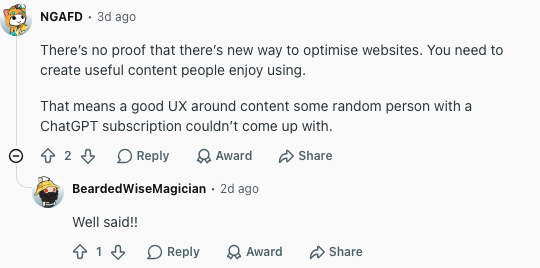
That is the standard I used for the recommendations below.
1. Junia AI
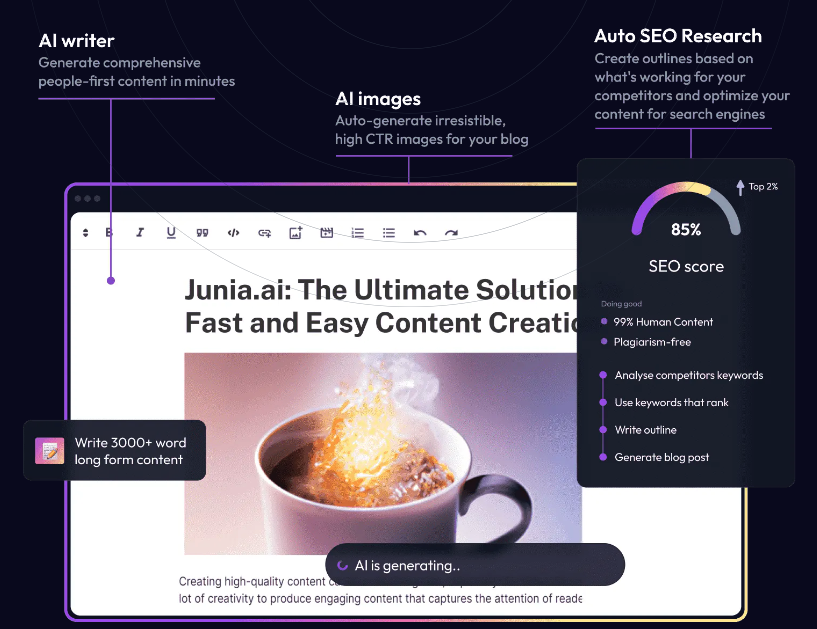
Junia AI is the best AI writing software for Webflow users who publish SEO content regularly. It is not just a blank text generator. It is built around the full content workflow: keyword research, article generation, optimization, internal linking, metadata, images, and publishing.
That matters because Webflow users often care deeply about design quality, while content operations quietly get messy. One person drafts in a doc, another edits metadata, someone else uploads images, then the final article gets pasted into Webflow and cleaned up by hand. In my experience, that handoff is where small publishing teams lose the most time. Junia AI reduces it.
Why Junia AI Fits Webflow
The biggest advantage is workflow fit. Junia's AI article writer can help create long-form content that already has a search structure, while the Webflow integration lets you move finished content into your site with less manual formatting. That is a practical advantage, not just a nice feature on a pricing page.
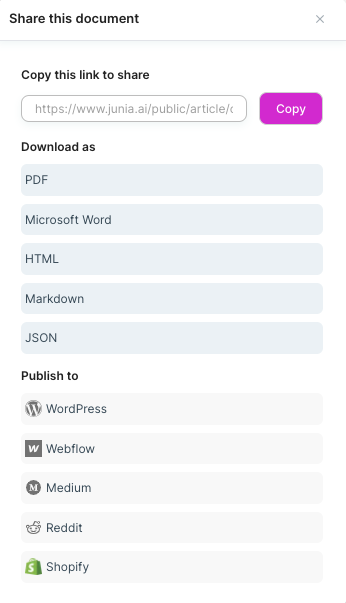
For a Webflow blog, I would use Junia AI when I need to:
- Build an SEO article from a topic or keyword brief
- Create supporting metadata with a meta description generator
- Draft content that needs a clear H1, H2, and H3 hierarchy
- Add contextual internal links with an AI internal linking workflow
- Translate or localize content for multilingual Webflow sites
- Publish repeatable blog content without rebuilding the same checklist every time
It also fits teams that publish across more than one CMS. If you already manage content in WordPress, Shopify, Webflow, and other platforms, one writing and optimization layer can prevent the workflow from fragmenting.
A Webflow integration is not a CMS strategy. Moving a draft into a Collection field is useful. It does not fix a vague slug, an empty meta description, or a rich-text blob that breaks the template. I would rather ship fewer Collection items with complete fields than paste ten posts and clean them up on the live site.
How to Use Junia AI With Webflow
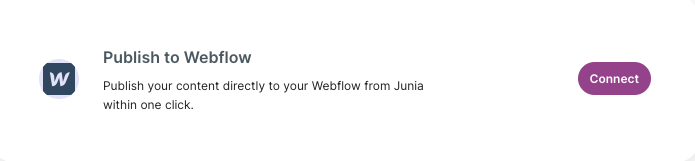
The Junia-to-Webflow workflow I would use looks like this:
- Choose the target page type: blog post, landing page, product description, comparison page, or update to an existing page.
- Use Junia's AI keyword research to confirm the main query, related questions, and search intent before drafting.
- Generate the first draft, then edit for original examples, product knowledge, screenshots, and brand voice.
- Use the AI text editor to tighten weak sections, rewrite clunky paragraphs, and make the content easier to scan.
- Add metadata, internal links, alt-style image descriptions, and a final human review.
- Publish or transfer the content into Webflow, then check the live page layout across desktop and mobile.
The last step matters more than people expect. AI tools can help with writing, but Webflow pages still live inside a designed system. A sentence that looks fine in a document can feel too long inside a card, hero block, or CMS template.
Where Junia AI Is Best
Junia AI is strongest for Webflow sites that rely on organic traffic: SaaS blogs, agency websites, affiliate sites, product-led content, resource hubs, and companies building topical authority.
It is also a better fit than a plain chatbot when you need repeatable SEO output. A chatbot can draft a post, but Junia is more useful when the workflow includes briefs, rankings, metadata, internal links, and publishing. That is the difference between "generate some text" and "ship a search-ready Webflow page." Personally, I think that distinction matters more than model choice for most Webflow teams.
2. Jasper AI
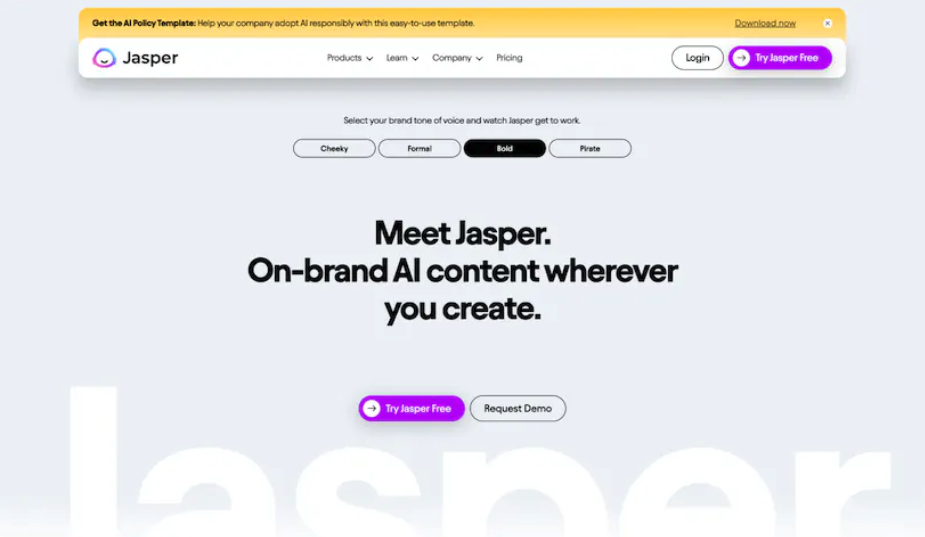
Jasper AI is a strong choice for Webflow teams that need marketing copy more than full SEO publishing workflows.
I would use Jasper for homepage variants, feature blurbs, ad copy, email copy, product positioning, and landing page sections. Its template-driven approach is helpful when you already know the format you need and want several angles quickly. I like it most when the page strategy is already clear and the bottleneck is phrasing.
Where Jasper Fits in a Webflow Workflow
Jasper works best before the content reaches Webflow. For example, you can generate:
- Hero headline options
- Short product benefit sections
- CTA variations
- FAQ-style copy blocks
- Landing page introductions
- Product description drafts
- Campaign messaging for Webflow pages
Then choose the strongest version and adapt it to the actual page layout.
That last part is important. Jasper can create useful copy, but Webflow pages are visual. A generated section might be too long for a two-column layout, too vague for a pricing page, or too polished for a founder-led brand. I would treat Jasper as a copy assistant, not a final publisher.
Best Use Case
Choose Jasper if your Webflow site needs lots of conversion copy and brand-safe variations. It is especially useful for marketers who work from defined campaigns and need fast alternatives without starting every section from a blank page.
I would not choose Jasper as the main tool for a Webflow blog that depends heavily on SEO research, internal links, and publishing operations. It can help, but it is not the cleanest end-to-end fit.
3. Surfer SEO

Surfer SEO is not the best pure writing tool on this list. It is better described as a content optimization tool.
That makes it useful for Webflow users who already have a draft but want to check whether the page matches the search results. Surfer can help with headings, topical coverage, keyword use, missing subtopics, and content structure. I would not let it write the page for me, but I do like it as a second opinion before publishing something competitive.
Where Surfer Helps
For Webflow, I would use Surfer in three situations:
- You wrote a blog post and want to improve it before publishing.
- A published Webflow page is underperforming and needs an SEO refresh.
- You are building a content brief for a writer, freelancer, or internal team member.
Surfer pairs well with a broader AI SEO tools stack because it focuses on optimization rather than ideation. It can show you what competing pages tend to cover, but it still needs a human editor to decide what belongs in your article.
How to Use Surfer Without Over-Optimizing
The risk with Surfer is treating its recommendations like orders. If the tool suggests a term, that does not automatically mean the term deserves a sentence. Use it to find coverage gaps, then write naturally. The score should never become more important than the reader.
A good Webflow workflow is:
- Draft the article in Junia AI, ChatGPT, or your own editor.
- Run the draft through Surfer for search-intent and coverage checks.
- Add missing useful sections only when they help the reader.
- Ignore suggestions that make the article sound mechanical.
- Paste or publish the final content into Webflow and check the layout.
That keeps Surfer in the right role: a diagnostic layer, not the voice of the article.
4. ChatGPT
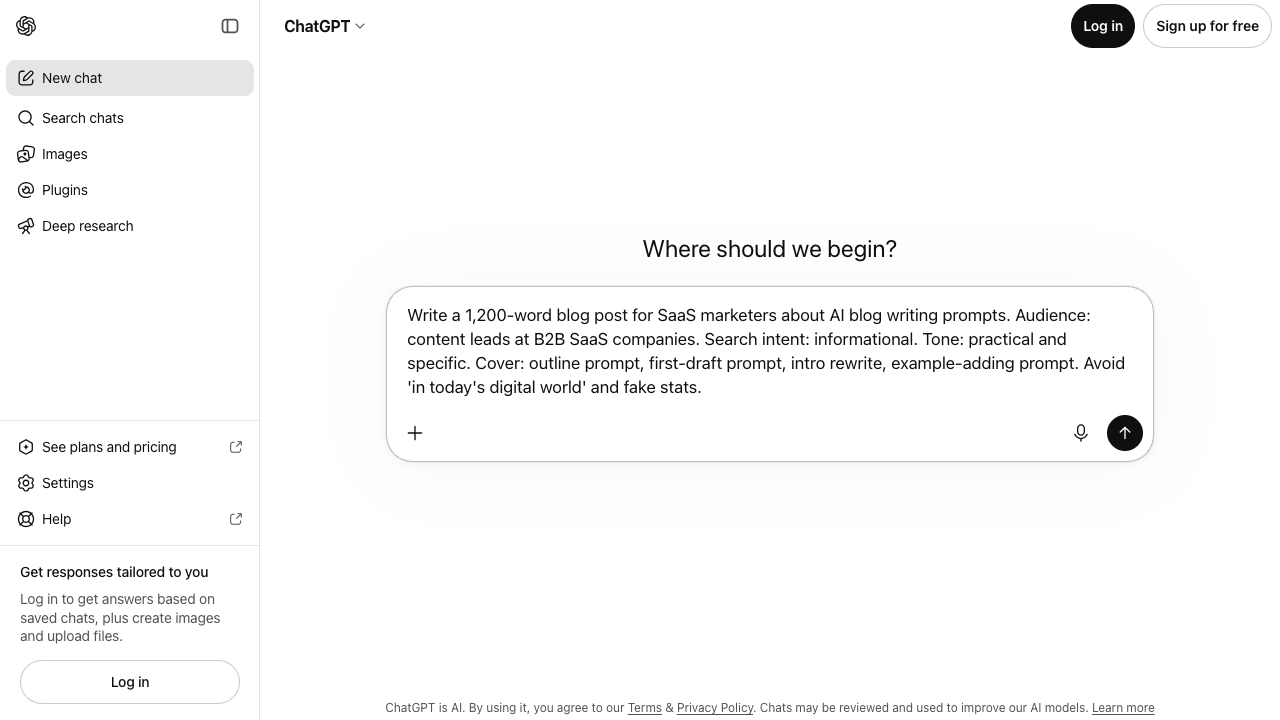
ChatGPT is the most flexible option here. It can brainstorm, outline, rewrite, summarize, expand, shorten, classify, and help you think through almost any Webflow content problem.
But flexibility cuts both ways. ChatGPT can produce excellent output with clear instructions, or it can produce bland Webflow copy that sounds like every other AI-written landing page. My rule is simple: the less context I give it, the more generic the result gets.
Where ChatGPT Works Well for Webflow
I would use ChatGPT for:
- Turning rough notes into a landing page outline
- Creating first-pass FAQ answers
- Rewriting a dense paragraph for a smaller Webflow section
- Generating headline options before using a headline generator for more variants
- Summarizing research before writing
- Creating prompt-ready content briefs
- Reworking button text, labels, and microcopy
It is also useful when you need to pressure-test a page. You can paste a draft and ask: "What is unclear, what feels generic, and what would a skeptical buyer still need to know?" That critique is often more valuable than another full rewrite.
ChatGPT Prompt for Webflow Content
This is the prompt structure I would actually use:
You are helping me write content for a Webflow page. The page type is [blog post / landing page / product page / comparison page]. The audience is [specific audience]. The goal is [conversion, search traffic, signup, demo request, education]. Keep the copy concise enough to fit a designed Webflow layout. Use short paragraphs, clear headings, concrete examples, and no vague AI hype. Output clean markdown with suggested H2 and H3 headings.
After that, give it your actual context: product details, customer pain points, screenshots, internal links, and the CMS fields you need filled.
ChatGPT is weakest when you ask it to "write an SEO article about X" with no brief. It is strongest when you give it constraints and use it to improve a specific piece of work.
Webflow-Specific Content Tasks and the Best Tool for Each
| Webflow content task | Best tool | Why |
|---|---|---|
| SEO blog post | Junia AI | Handles drafting, optimization, metadata, and publishing workflow |
| Landing page copy | Jasper AI or ChatGPT | Fast variations and sharper messaging options |
| Existing article refresh | Surfer SEO + Junia AI | Surfer finds gaps; Junia helps rewrite and optimize |
| Product descriptions | Junia AI or Jasper AI | Both can create structured copy; Junia fits better when SEO matters |
| Blog ideas and outlines | ChatGPT | Fast exploratory thinking before committing to a brief |
| Metadata | Junia AI | Easier to align titles and descriptions with search intent |
| Internal links | Junia AI | Useful when building content clusters across a Webflow blog |
| AI search readiness | Junia AI + human editing | AI search still depends on helpful, specific, well-structured content |
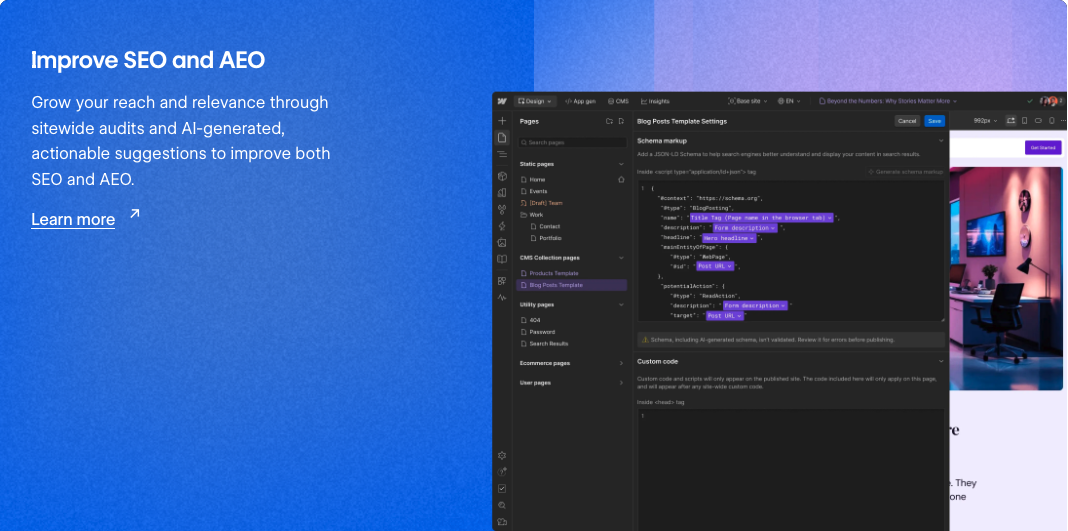
This is also where Webflow's own direction matters. Webflow now positions Webflow AI around CMS management, SEO, AEO, GEO, site performance, and AI-powered workflows. Its AI and MCP-related updates point toward more structured site management, not just faster copy generation. I read that as a useful signal: content structure, metadata, and CMS readiness are becoming more important, not less.
How to Choose the Right AI Writing Tool for Webflow
Start with the page type. It sounds basic, but it prevents a lot of bad tool choices.
If you are publishing blog posts, buying guides, comparison articles, or resource pages, choose a tool that understands search structure. For that, Junia AI is the strongest first choice. A plain text generator can help with raw wording, but SEO content needs more than paragraphs.
If you are building campaign pages, choose a tool that gives you lots of strong variations quickly. Jasper and ChatGPT both work well here, especially when paired with a clear brand voice. For campaign pages, I care less about SEO scoring and more about whether the copy fits the actual component on the page.
If you are refreshing old Webflow content, start with diagnosis. Look at rankings, search intent, missing sections, weak titles, internal links, and whether the page still answers the query. Then rewrite only what needs to change.
If you are building a large content program, use a dedicated workflow instead of treating every page as a one-off prompt. A blog post generator can help you move faster, but the real advantage comes from having a repeatable process for briefs, drafts, edits, metadata, internal links, and publishing.
A Practical Webflow AI Writing Workflow
This is the workflow I recommend for most Webflow sites:
- Define the page job. Is this page supposed to rank, convert, explain, compare, or support a sales conversation?
- Create the brief. Include the audience, search intent, product details, key proof points, and internal pages worth mentioning.
- Draft with the right tool. Use Junia AI for SEO articles, Jasper for marketing copy, and ChatGPT for flexible drafting or cleanup.
- Add evidence. Use product screenshots, examples, citations, customer language, or current documentation where they make the page more trustworthy.
- Edit for Webflow layout. Shorten sections that need to fit cards, tabs, accordions, or CMS templates.
- Optimize metadata. Write the title tag and meta description separately instead of copying the H1. A meta title generator can help create options, but the final version should match the page exactly.
- Check internal links. Add links where they help the reader go deeper, not wherever a keyword appears.
- Publish and inspect the page. Check desktop and mobile layouts, image alt text, headings, links, and the live snippet.
If the page is a Collection item, this official Webflow CMS walkthrough is the part most AI writers skip: fields, items, and publish state, not just the prose.
Build, manage and publish CMS Collection content — Webflow tutorial
That workflow is slower than pressing "generate," but it is much faster than fixing a weak AI draft after it is already inside Webflow. I would rather spend ten extra minutes on the brief than twenty minutes cleaning up a page that never should have been published in that shape.
Mistakes to Avoid
The first mistake is using one AI tool for every content type. A blog post, landing page, product page, and help article do not need the same writing process. This is the mistake I see most often when teams buy a tool before defining the workflow.
The second mistake is publishing generic AI content because it looks clean. Clean writing is not the same as useful writing. Google Search's helpful content guidance is clear that content should be created for people, not primarily to manipulate rankings.
The third mistake is skipping Webflow formatting checks. AI tools do not know how your CMS template handles long headings, nested lists, button labels, or images. Always inspect the live page. The visual QA pass is boring, but it catches problems the writing tool cannot see.
The fourth mistake is treating internal links as an SEO checklist. A strong Webflow blog should connect related ideas naturally. For example, a post about Webflow writing tools can mention choosing AI writing tools for SEO when the reader is deciding whether SEO features matter, but it does not need to link every related AI writing article in the introduction.
The fifth mistake is ignoring AI search. For AI Overviews, AI Mode, and other answer engines, concise summaries, clear comparison tables, specific examples, and non-commodity advice make the page easier to cite and summarize. That is one reason I like adding an early TL;DR to articles like this.
What I would actually use on a Webflow site
If I had to choose one AI writing tool for a Webflow site, I would choose Junia AI for any serious SEO content workflow. It covers more of the actual publishing process: research, writing, optimization, metadata, internal links, and Webflow-friendly output.
Choose Jasper AI if you mostly need campaign and landing page copy. Choose Surfer SEO if you already have writers and need stronger optimization checks. Use ChatGPT as a flexible assistant for brainstorming, rewriting, and content cleanup.
The best setup is not the one with the longest feature list. It is the one that helps you publish better Webflow pages with less friction, fewer weak drafts, and less last-minute cleanup inside the CMS.